Login & Security
Configure multi-layered access protection.
Overview & Core Benefits
Keep your professional vault secure. Update credentials and set up two-factor authentication.
Why This Matters
Summary Flow
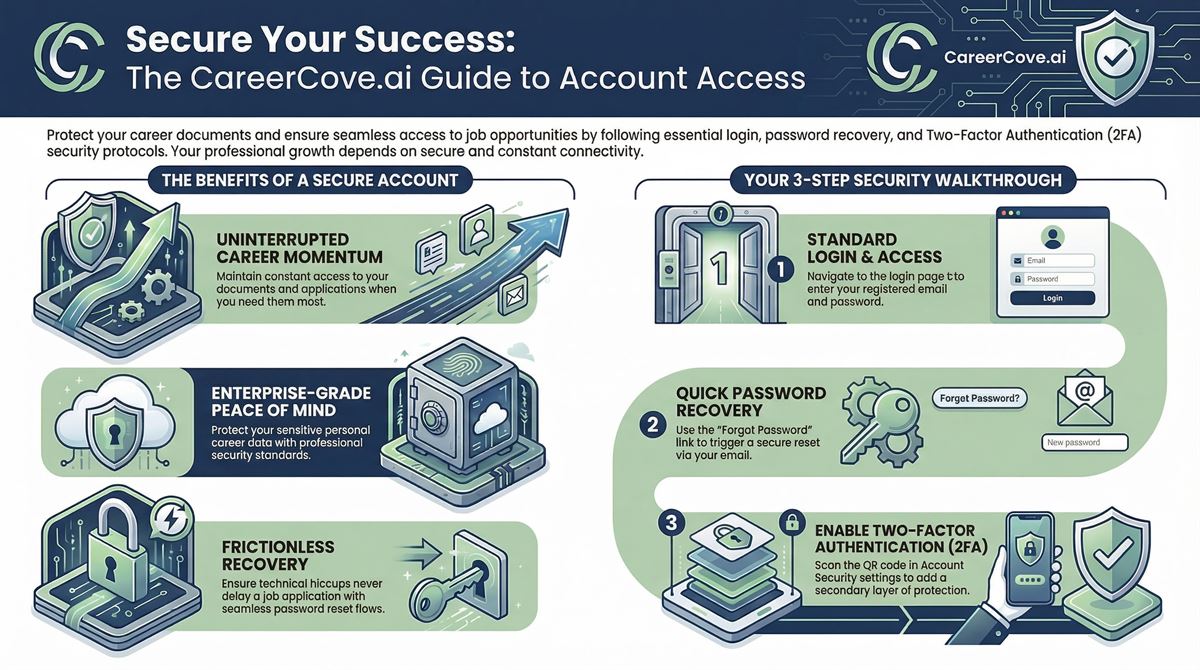
Step-by-Step Walkthrough Guide
Follow these step-by-step instructions to master the Login & Security workflow on the CareerCove platform.
Step 1: Navigating to Security Settings
Access your profile dashboard and navigate to your account's privacy and password configurations to manage your security features.
Purpose: To open the centralized security controls portal.
Benefit: Ensures you can configure authentication security settings without navigating multiple nested menus.
Outcome: The security settings page loads, displaying options for password change and two-factor authentication.
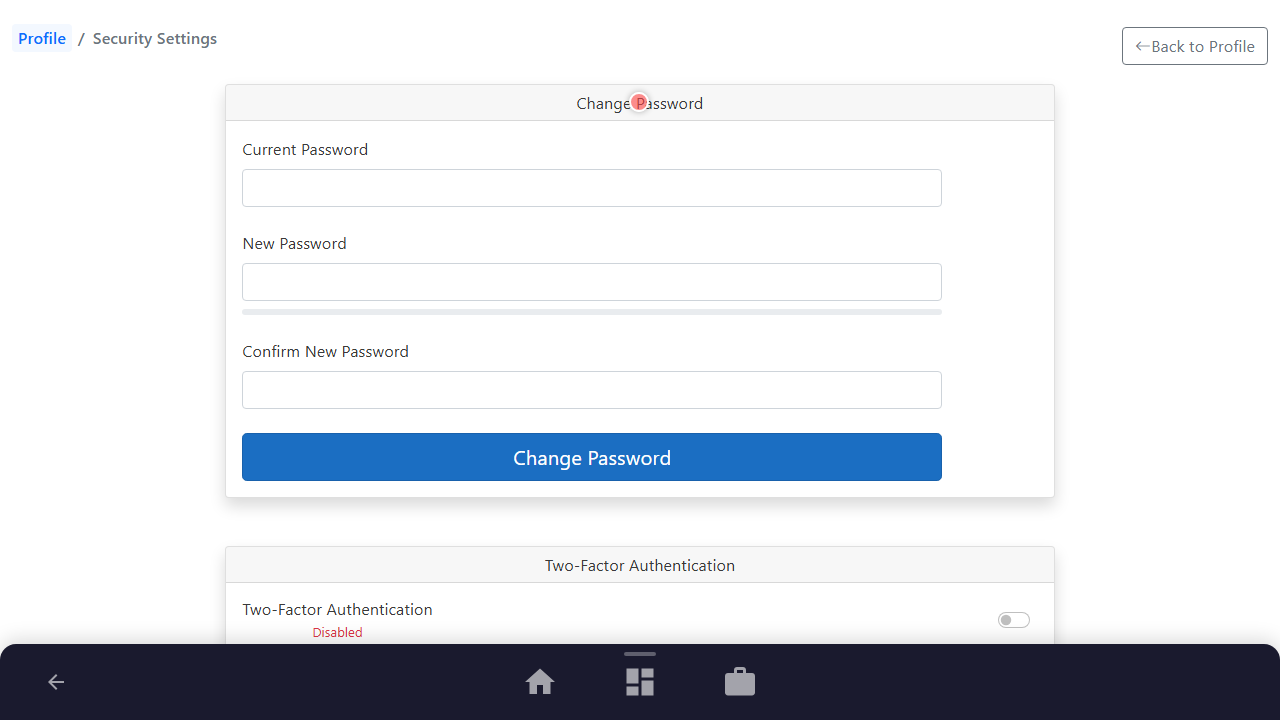
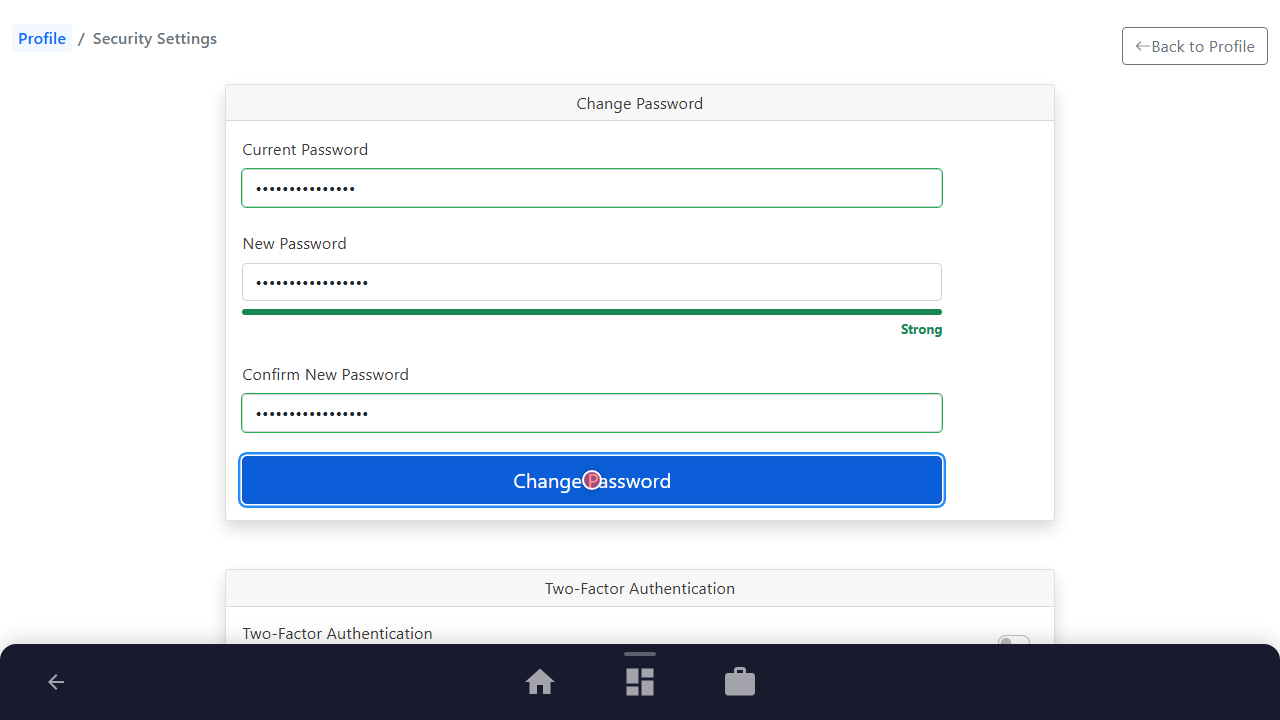
Step 2: Modifying Your Password
Enter your current password, type your new strong password, confirm the password, and click the 'Change Password' button to save the updates.
Purpose: To regularly update or strengthen your account credentials.
Benefit: Minimizes credential fatigue and keeps your professional data protected from unauthorized access.
Outcome: A success notification is displayed, confirming that your password has been updated.
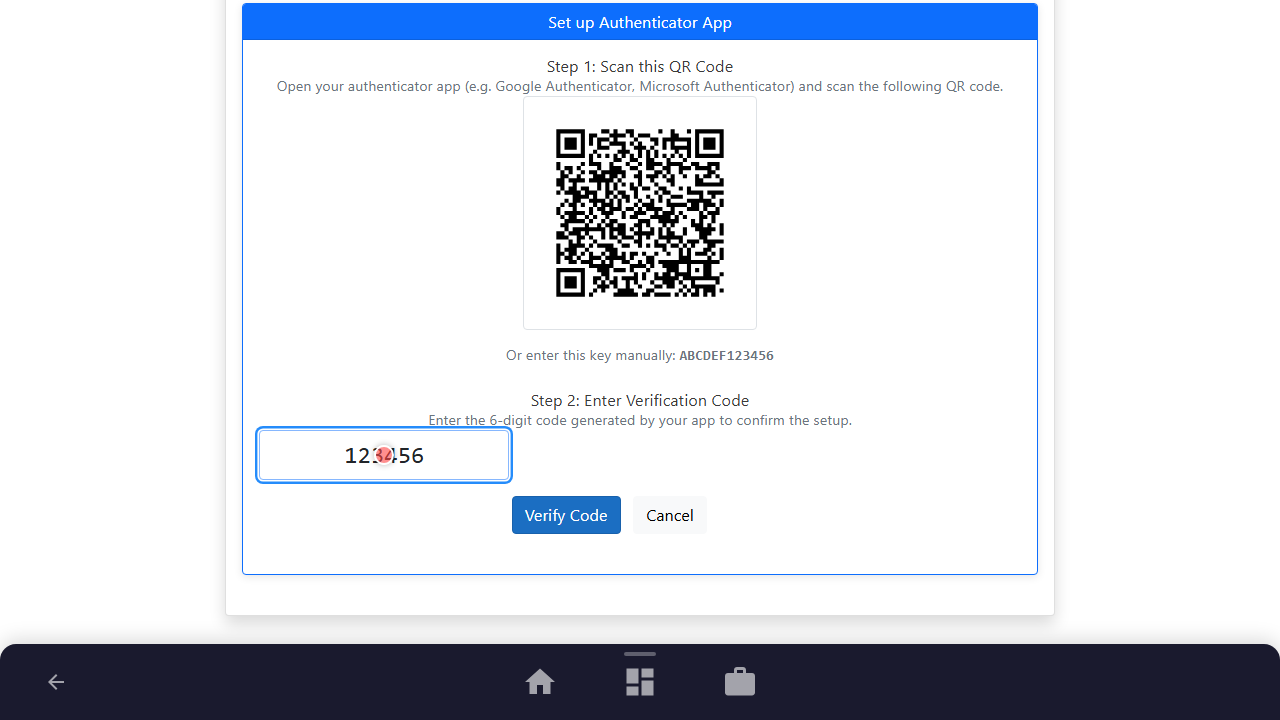
Step 3: Setting Up Authenticator App (TOTP)
Toggle the Two-Factor Authentication switch, click 'Setup Authenticator App', scan the QR code using your mobile authentication app, enter the verification code, and verify.
Purpose: To bind a mobile authentication application as your primary security step.
Benefit: Provides industry-standard security that does not rely on email delivery, protecting you from identity theft.
Outcome: The authenticator setup modal displays your unique recovery codes and updates your 2FA status to enabled.
See It In Action
Maximising Your Journey
Maintaining strict security with two-factor authentication (TOTP) protects your confidential career search data, personal summary details, and tailored job applications from unauthorized access.
Ready to apply this guide to your own career?
Register an account or sign in to save your progress, build and optimize your resume, and access advanced AI career tools.
Recommended Pathway Steps