Quick Onboarding
Set up your workspace with the onboarding checklist.
Overview & Core Benefits
Accelerate your setup by completing personal details, headlines, and linking professional social profiles.
Why This Matters
Summary Flow
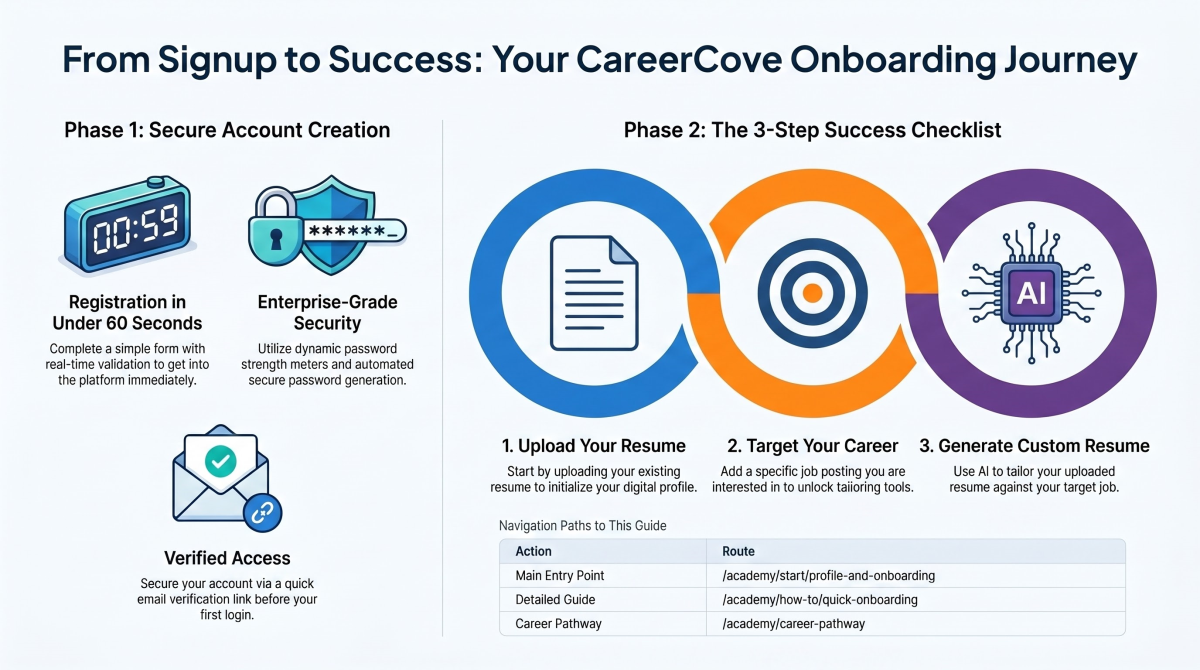
Step-by-Step Walkthrough Guide
Follow these step-by-step instructions to master the Quick Onboarding workflow on the CareerCove platform.
Step 1: Accessing the Onboarding Checklist
Navigate to the onboarding checklist page, which displays a comprehensive profile setup page to start detailing your professional background.
Purpose: To start the structured onboarding workflow designed to tailor AI career suggestions.
Benefit: Ensures that all subsequent resume scoring, tailoring, and smart match algorithms are fed with accurate profile context.
Outcome: The onboarding profile wizard loads, presenting input forms for personal details, headers, and social accounts.
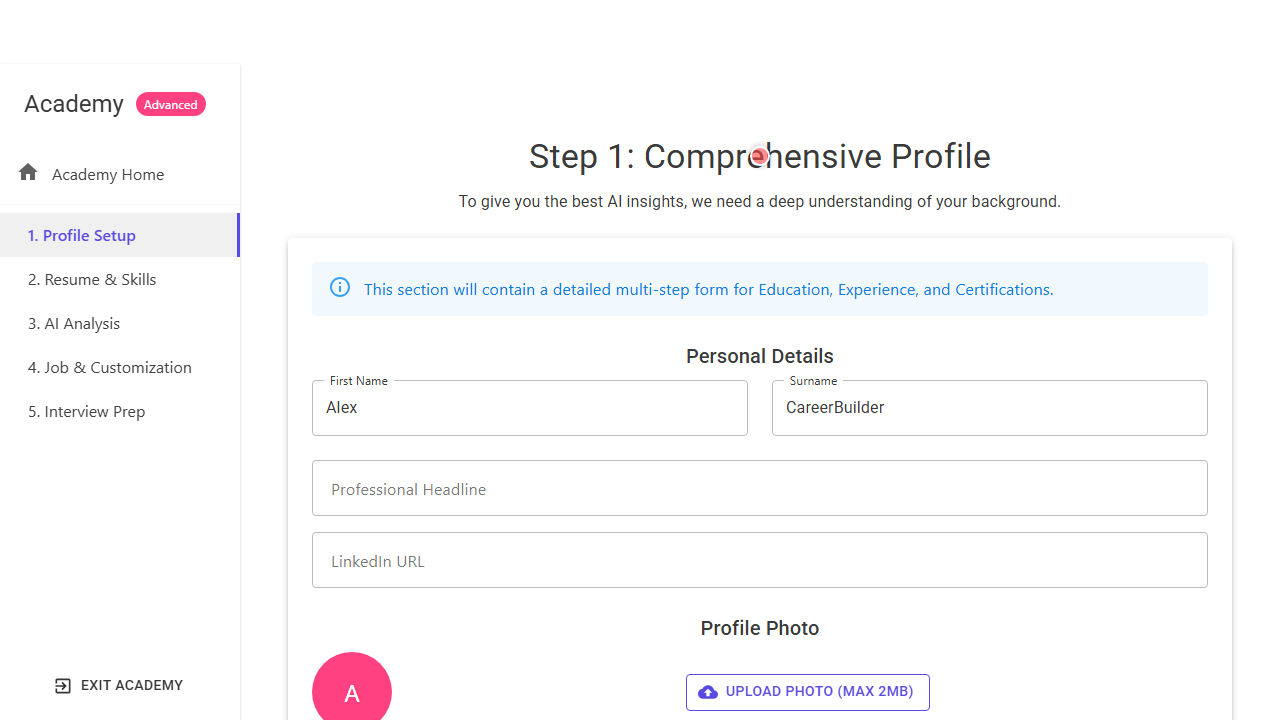
Step 2: Entering Personal Details & Headline
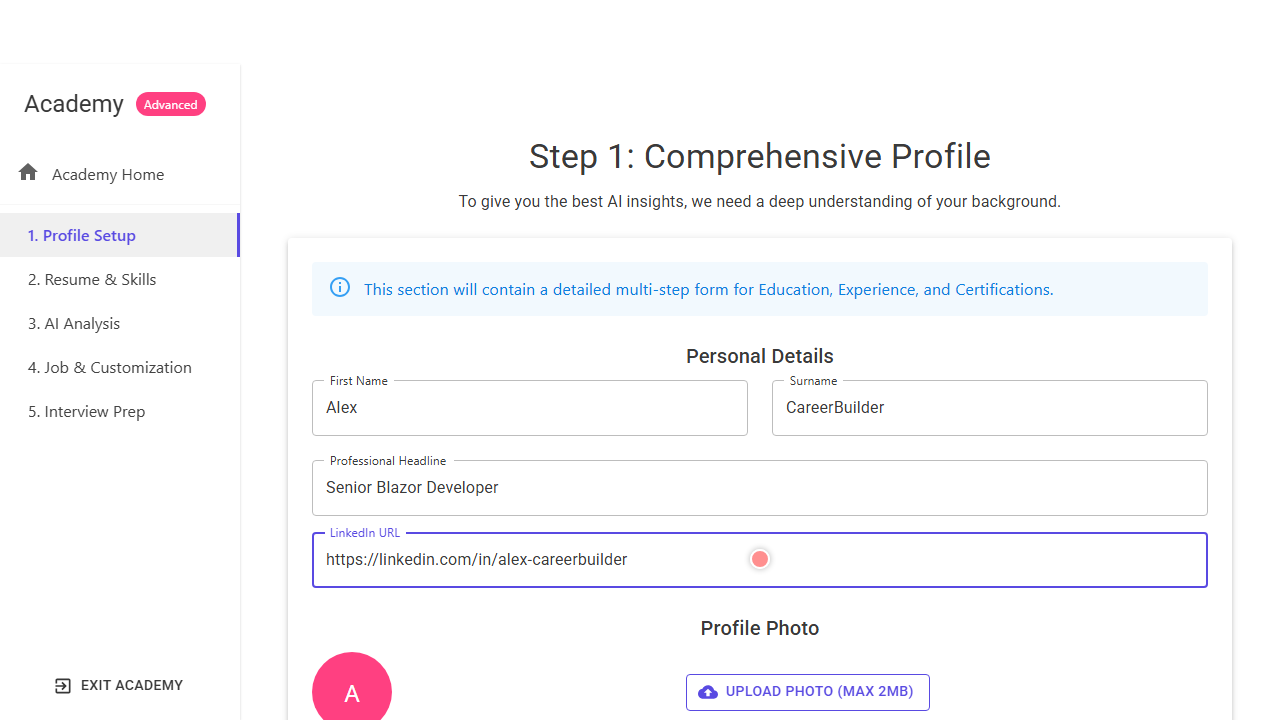
Fill in your First Name, Surname, Professional Headline (e.g., 'Senior Blazor Developer'), and LinkedIn URL to link your professional identity.
Purpose: To capture essential identity and positioning metadata for your career search.
Benefit: Helps tailor AI optimization outputs to align with your specific target career and online professional brand.
Outcome: Fields are filled with appropriate professional values.
Step 3: Completing Profile Upload and Progression
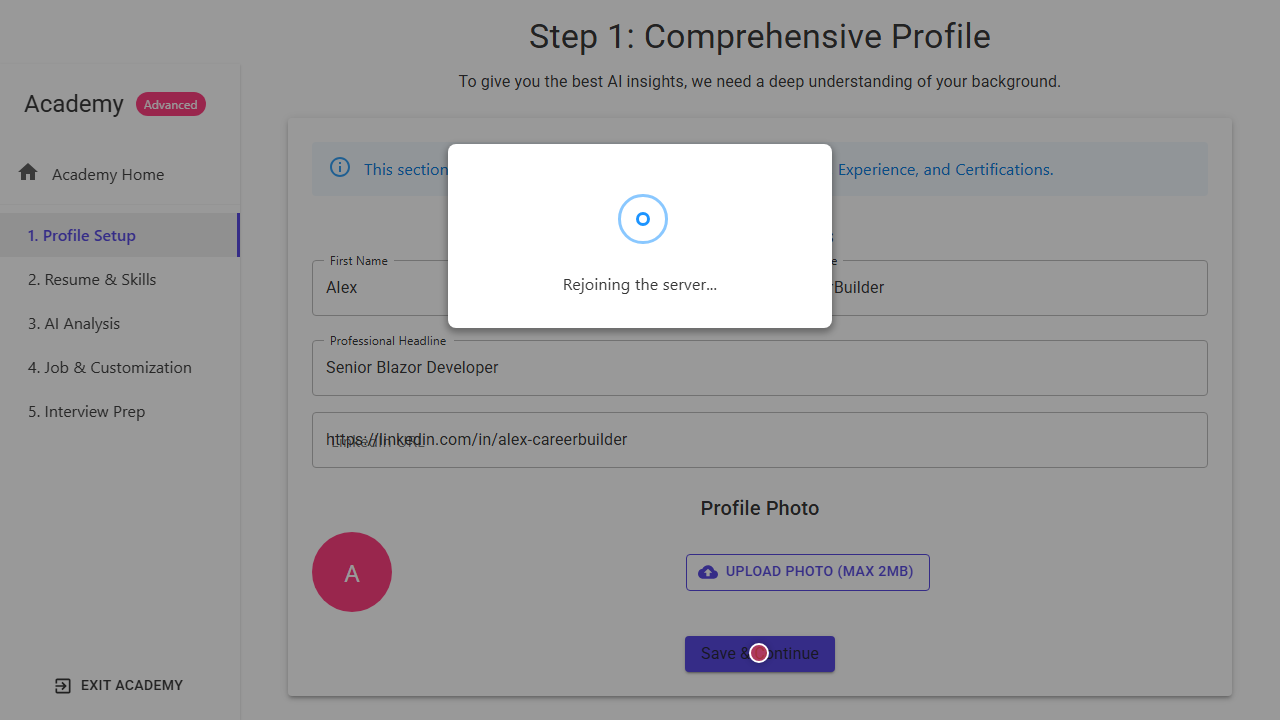
Select and upload a professional profile photo if desired, then click the 'Save & Continue' button to commit your details and progress to the next step.
Purpose: To save your onboarding configuration and advance to subsequent setup guides.
Benefit: Secures your configuration and unlocks visual tools like your career graph and resume tailoring dashboards.
Outcome: Your onboarding details are saved, and you are routed to the next step in the advanced academy flow.
See It In Action
Maximising Your Journey
Completing your onboarding checklist configures your primary preferences, enabling the platform to tailor resume recommendations and jobs to your exact location and target goals.
Ready to apply this guide to your own career?
Register an account or sign in to save your progress, build and optimize your resume, and access advanced AI career tools.
Recommended Pathway Steps