Resume AI Assist
Refine and polish your writing.
Overview & Core Benefits
Review and rewrite copy with high-powered AI assistance to ensure your unique professional voice sounds recruiter-ready.
Why This Matters
Summary Flow
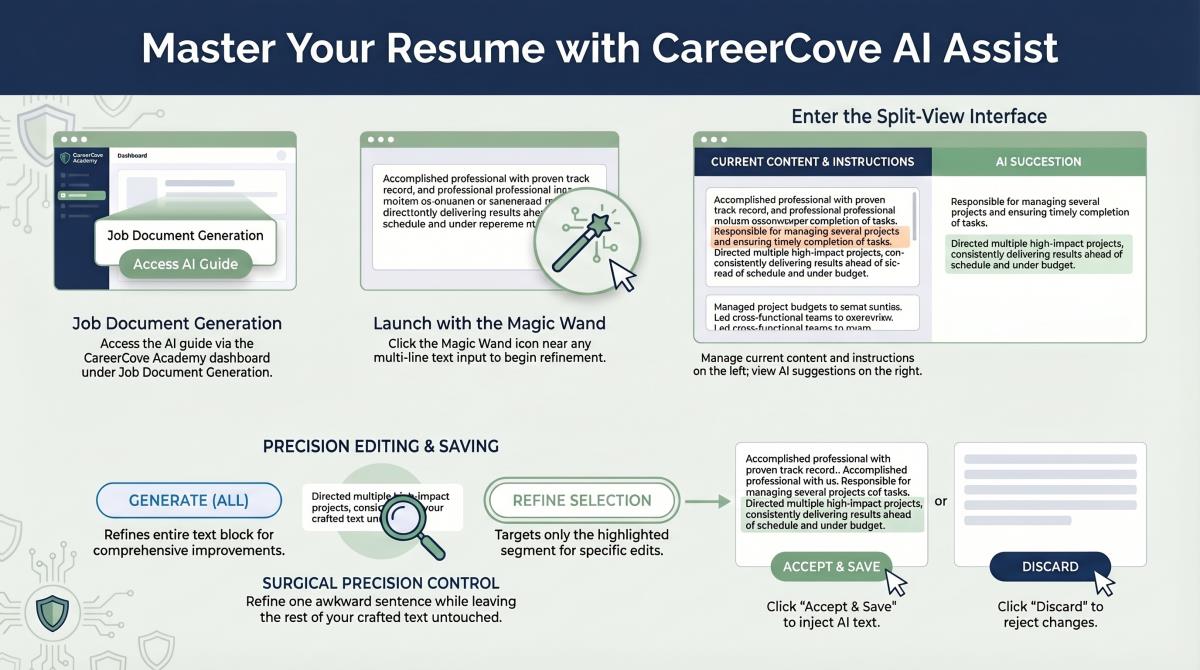
Step-by-Step Walkthrough Guide
Follow these step-by-step instructions to master the Resume AI Assist workflow on the CareerCove platform.
Step 1: Launch AI Assist
Navigate to the AI Assist page for your resume's professional summary. The current content panel displays your existing summary.
Purpose: To initialize the split-screen text refinement workspace.
Benefit: Separates the editor from the main dashboard to let you focus on copy optimization.
Outcome: The AI Refinement page loads, pre-populating your current text in the left panel.
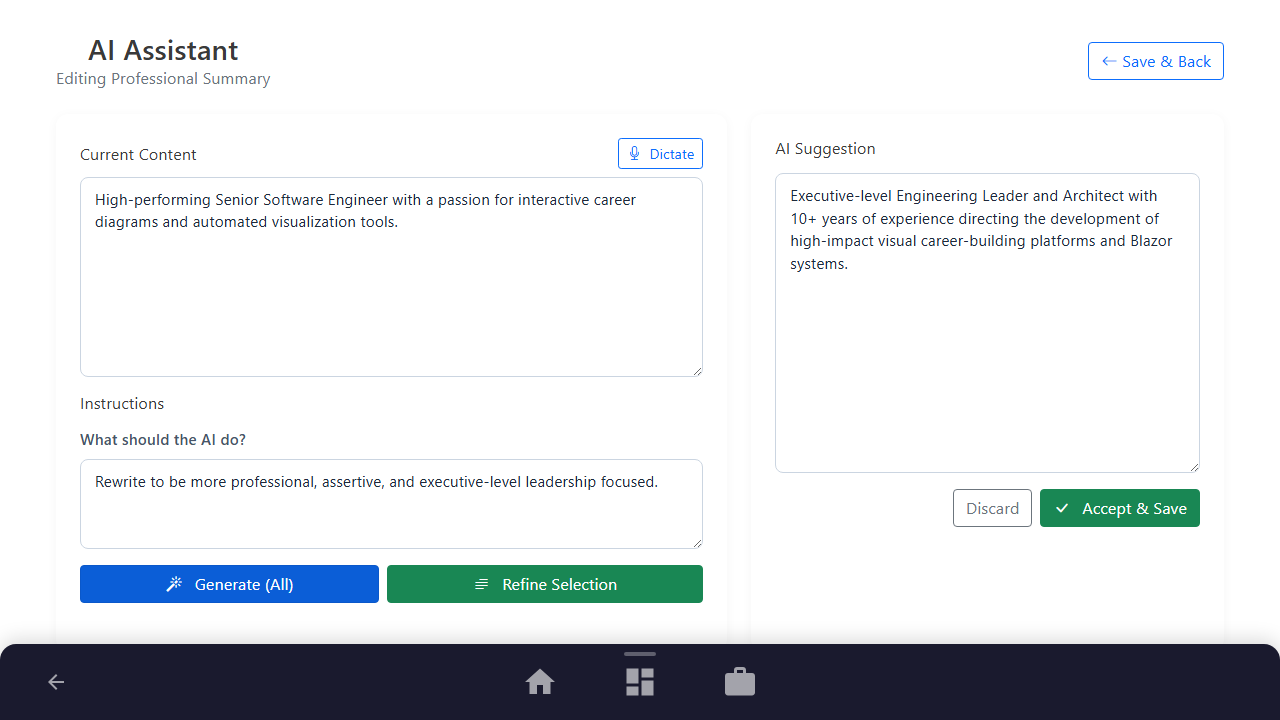
Step 2: Generation Mode (Full vs. Partial)
Enter your formatting instructions in the "What should the AI do?" textarea, detailing exactly how the text should be rewritten.
Purpose: To provide guiding constraints to the AI language model (e.g. professional tone, specific highlights).
Benefit: Allows you to guide the AI towards the specific visual or textual outcome you desire.
Outcome: The instructions textarea is filled with your custom optimization prompt.
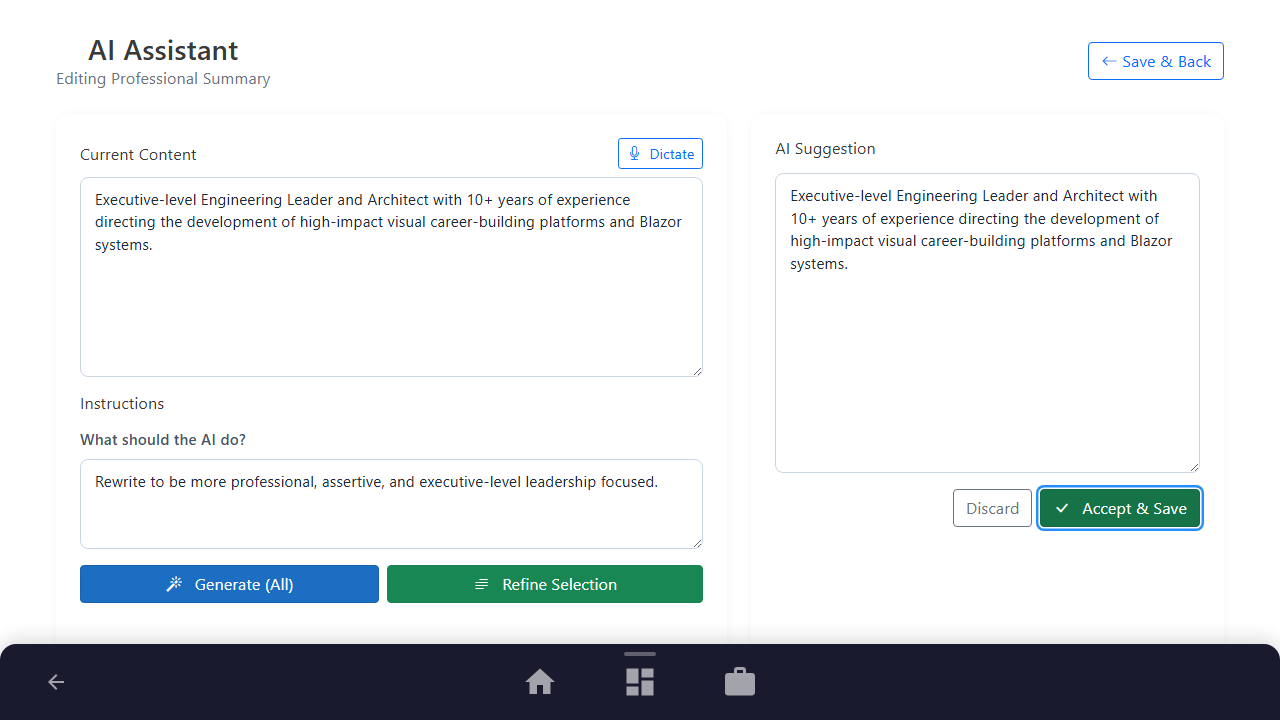
Step 3: Explicitly Accept & Save
Click the green "Accept & Save" button to securely inject the suggestion into your resume.
Purpose: To replace your previous text with the AI-optimized draft and persist the changes.
Benefit: Provides a safety gate so that AI recommendations never overwrite your copy without explicit approval.
Outcome: The suggestion is saved and you are securely redirected back to the resume dashboard.
See It In Action
Maximising Your Journey
The AI Assist side panel acts as your co-writer, allowing you to rewrite sentences, adjust tone, or expand descriptions on the fly with targeted prompts.
Ready to apply this guide to your own career?
Register an account or sign in to save your progress, build and optimize your resume, and access advanced AI career tools.
Recommended Pathway Steps