Resume Search & Management
Find any fact instantly across your resume.
Overview & Core Benefits
Dig up specific dates, projects, or achievements instantly. Avoid reading through pages of resume content by running keyword queries that link directly to edit panels.
Step-by-Step Walkthrough Guide
Follow these step-by-step instructions to master the Resume Search & Management workflow on the CareerCove platform.
Step 1: Open the Search Console
Navigate to the resume search interface. This view has an active search text area that immediately takes input focus.
Purpose: Open the search console.
Benefit: Allows you to query across all sections of your resume simultaneously.
Outcome: The search page loads showing the input field and a placeholder message instructing you to type.
Step 2: Enter Search Term
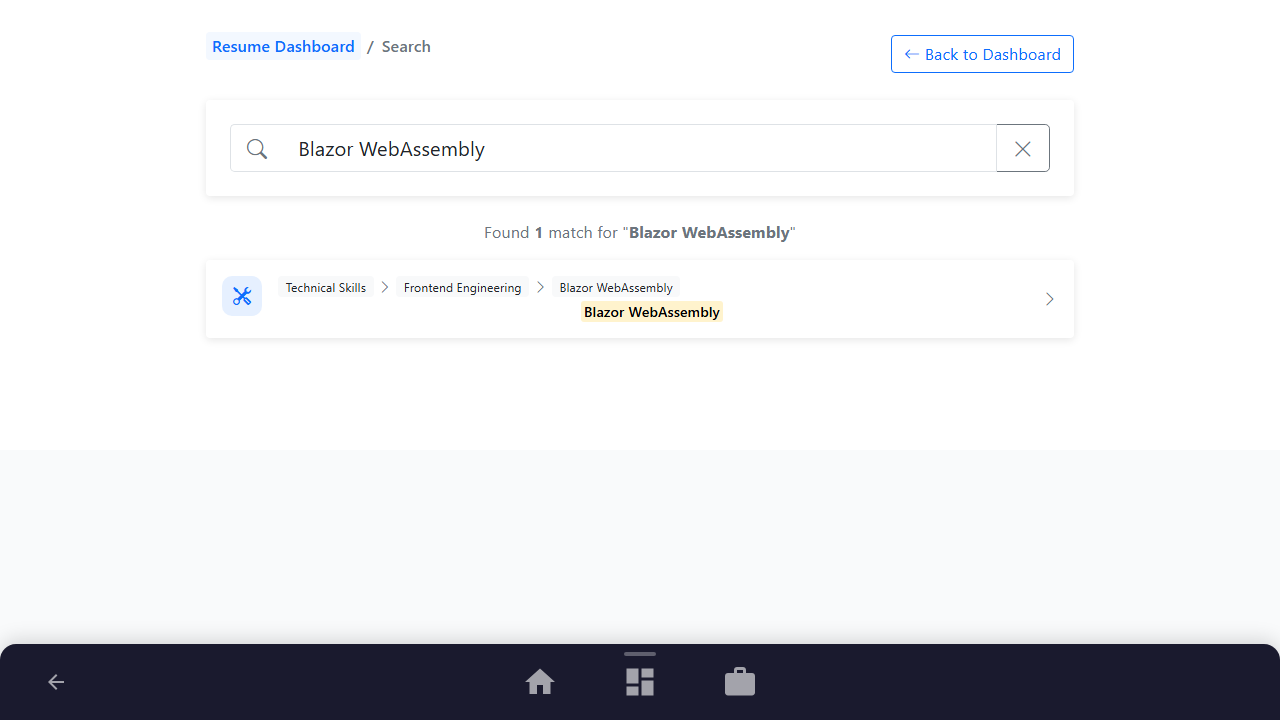
Click the search bar and type a query term such as "Blazor WebAssembly". The search results populate instantly.
Purpose: Query resume details for specific skills.
Benefit: Finds all instances of technology keywords within milliseconds.
Outcome: A list of matching results with highlighted snippets is displayed below the input.
Step 3: Click Result to Edit
Review the highlighted snippets. Click any search card to navigate directly to that specific experience section.
Purpose: Navigate directly to edit the matched content.
Benefit: Saves time browsing through multi-page edit forms.
Outcome: The page redirects to the specific experience item edit form.
See It In Action
Maximising Your Journey
Running index searches across your resume lets you instantly locate and navigate to specific bullet points, skills, or roles for fast edits.
Ready to apply this guide to your own career?
Register an account or sign in to save your progress, build and optimize your resume, and access advanced AI career tools.
Recommended Pathway Steps