Using Natural Language Resume Search
Search your resume with natural questions.
Overview & Core Benefits
Search your resume using normal questions like 'What remote roles have I held?' or 'When did I manage a team?' to retrieve structured context immediately.
Step-by-Step Walkthrough Guide
Follow these step-by-step instructions to master the Using Natural Language Resume Search workflow on the CareerCove platform.
Step 1: Access the Search Console
Navigate to the resume search tool. The user-friendly page welcomes you with a search box to ask conversational questions.
Purpose: Open the search console.
Benefit: Allows you to search your profile hands-on without strict query matching.
Outcome: The search page loads showing the active search field.
Step 2: Enter Natural Language Question
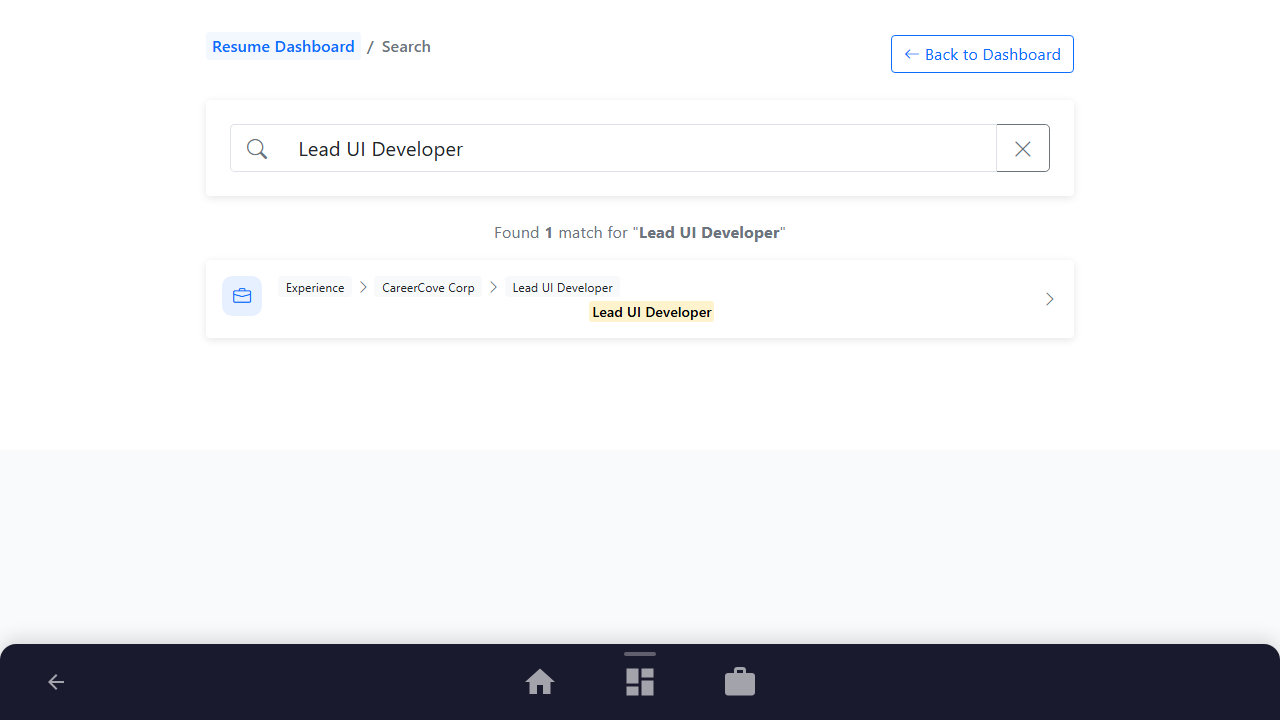
Type a natural question like "where did I work remote as a lead UI developer?" directly in the field.
Purpose: Query resume details using natural, conversational language.
Benefit: Lets you explore your history like talking to an assistant, isolating key accomplishments.
Outcome: Relevant match nodes corresponding to your work experience at CareerCove Corp populate below.
See It In Action
Maximising Your Journey
Conversational natural language search queries let you ask questions about your career history and extract specific data points without manual scanning.
Ready to apply this guide to your own career?
Register an account or sign in to save your progress, build and optimize your resume, and access advanced AI career tools.
Recommended Pathway Steps