AI Document Gen & CharismaEngine
Tailor documents in your unique tone.
Overview & Core Benefits
Integrate the CharismaEngine™ directly with your job application workflows. Transform standard AI outputs into tailored, highly authentic documents that match your unique voice and professional DNA across all application assets.
Sound Authentic to You: Calibrate the CharismaEngine™ to instantly adapt the tone of your documents to fit your exact personality—whether you want to sound bold, professional, or visionary.
Effortless Scaling Across All Documents: Generate and tailor resumes, cover letters, and selection criteria responses in minutes without sacrificing depth or authenticity.
Perfect Your Presentation: Ensure your resume, cover letter, and selection criteria responses tie together to form a cohesive, compelling pitch to hiring managers.
Step-by-Step Walkthrough Guide
Follow these step-by-step instructions to master the AI Document Gen & CharismaEngine workflow on the CareerCove platform.
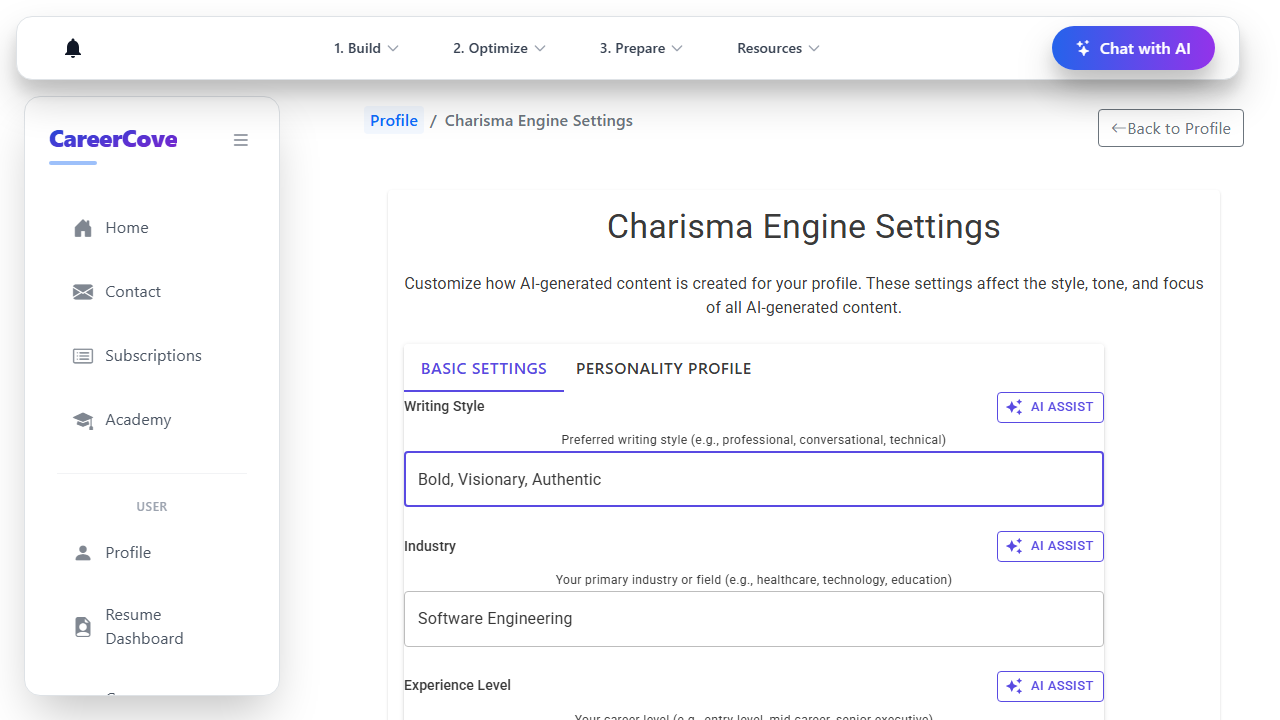
Step 1: Adjust global Writing Style settings
Navigate to the global CharismaEngine settings page and calibrate your preferred Writing Style to "Bold, Visionary, Authentic" and save.
Purpose: Configure your digital persona writing style.
Benefit: Applies your custom voice guidelines globally to all generation tasks.
Outcome: The writing style is updated and settings are saved.
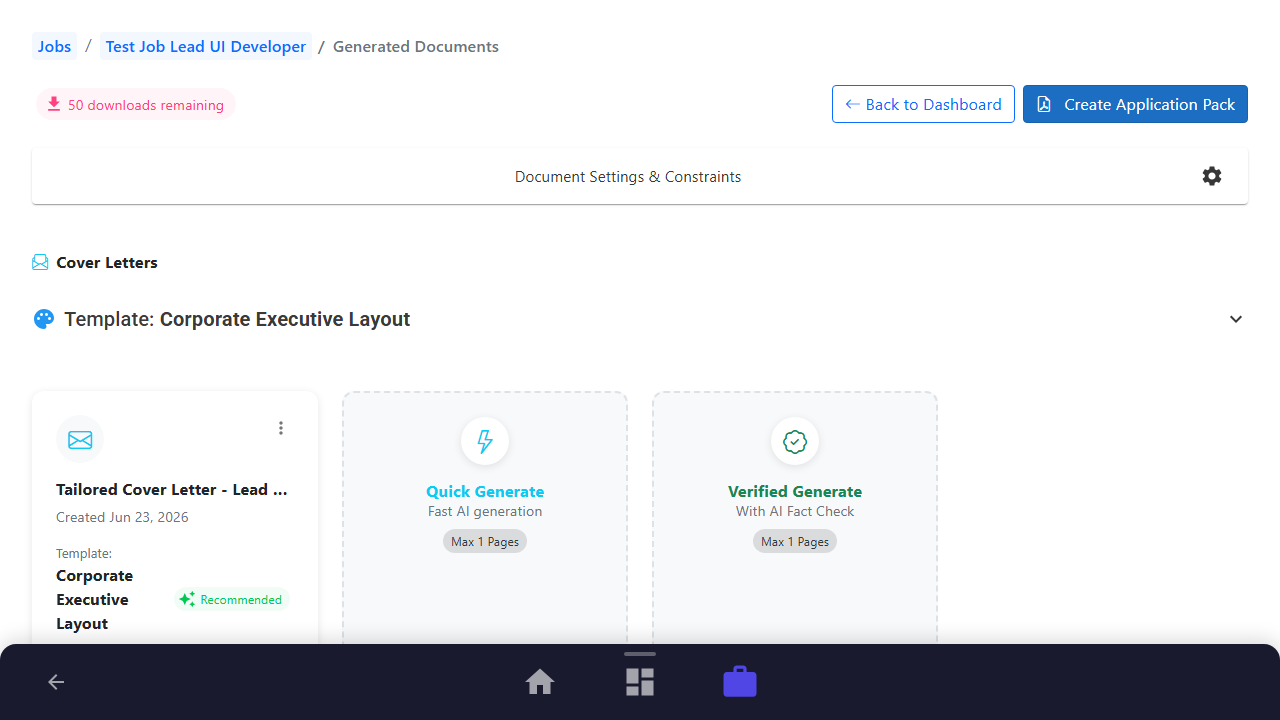
Step 2: Open Generated Documents Dashboard
Navigate to your job application's generated documents workspace.
Purpose: Open the dashboard containing job-specific documents.
Benefit: Prepares you to generate tailored outputs that inherit your global settings.
Outcome: The workspace loads, ready for document operations.
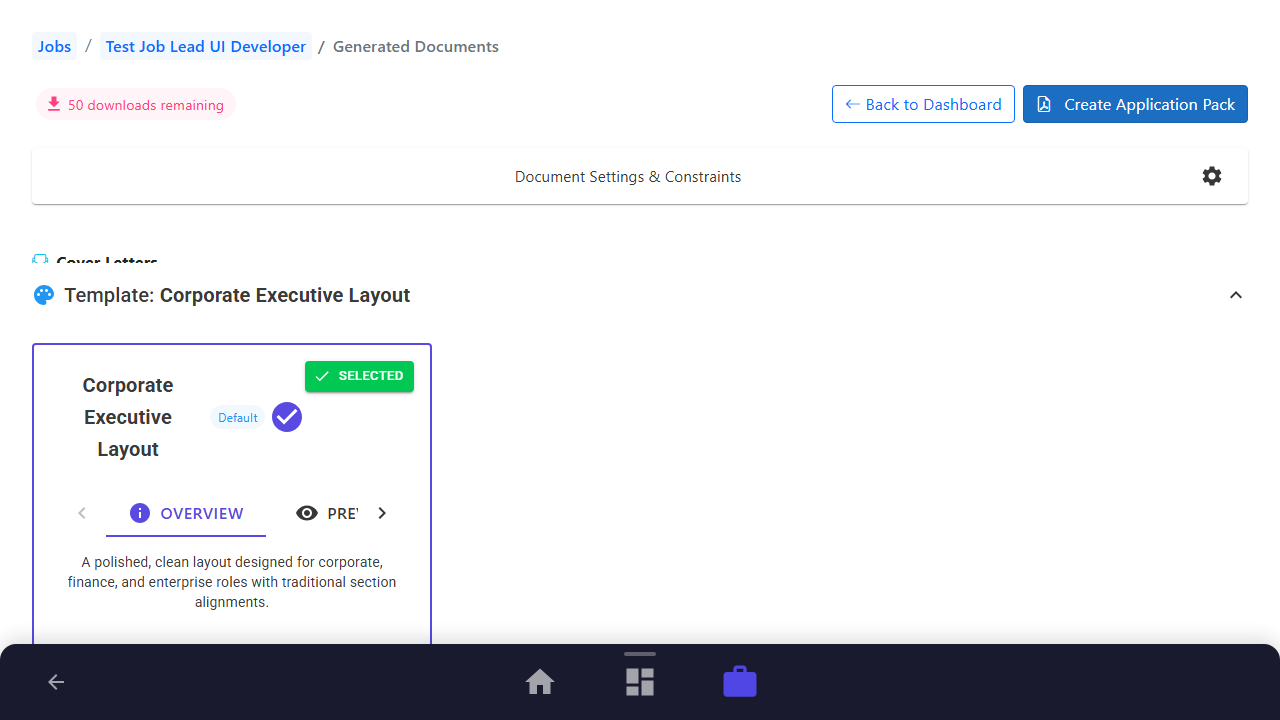
Step 3: Expand Templates Options
Expand the template dropdown in the Cover Letters section to see available visual layouts.
Purpose: Review template layouts.
Benefit: Ensures visual layout aligns with the tone of your cover letter.
Outcome: The template panel expands, displaying available layouts.
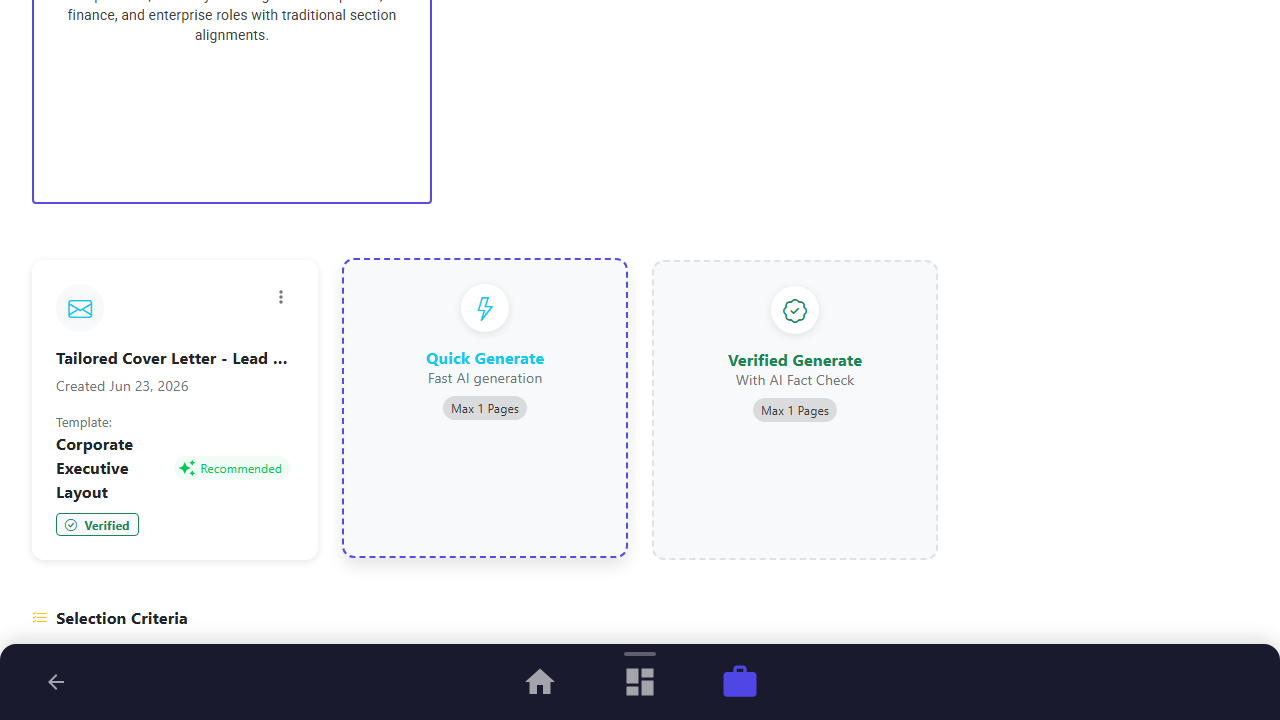
Step 4: Trigger Tone-Aligned Generation
Click the "Quick Generate" card under Cover Letters. The AI will instantly draft a tailored letter matching the job description while using your custom digital persona.
Purpose: Generate a customized, tone-aligned cover letter.
Benefit: Ensures your cover letter is tailored to the job while sounding authentic.
Outcome: A progress indicator appears, and a tailored cover letter card is added to the grid.
Step 5: Review Tailored Output
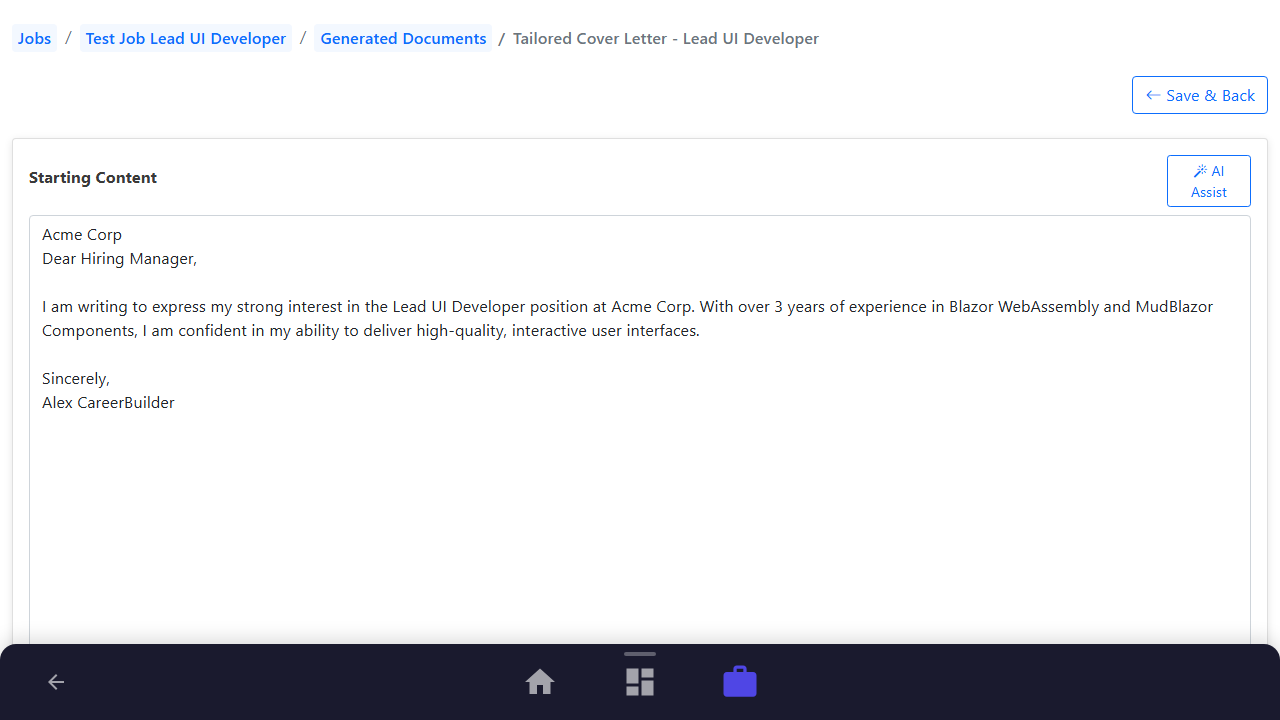
Click on the cover letter card to open the editor and review the drafted content, which will reflect your "Bold, Visionary, Authentic" voice.
Purpose: Inspect the generated document text.
Benefit: Confirms that the AI's wording matches your specific voice guidelines.
Outcome: The document editor opens showing the tailored cover letter content.
See It In Action
Maximising Your Journey
Combining document generation with CharismaEngine ensures your tailored resumes, cover letters, and selection criteria responses are consistently written with your unique voice, chosen tone, and authentic professional style.
Ready to apply this guide to your own career?
Register an account or sign in to save your progress, build and optimize your resume, and access advanced AI career tools.
Recommended Pathway Steps