Job Tracking
Centralize and track all job applications.
Overview & Core Benefits
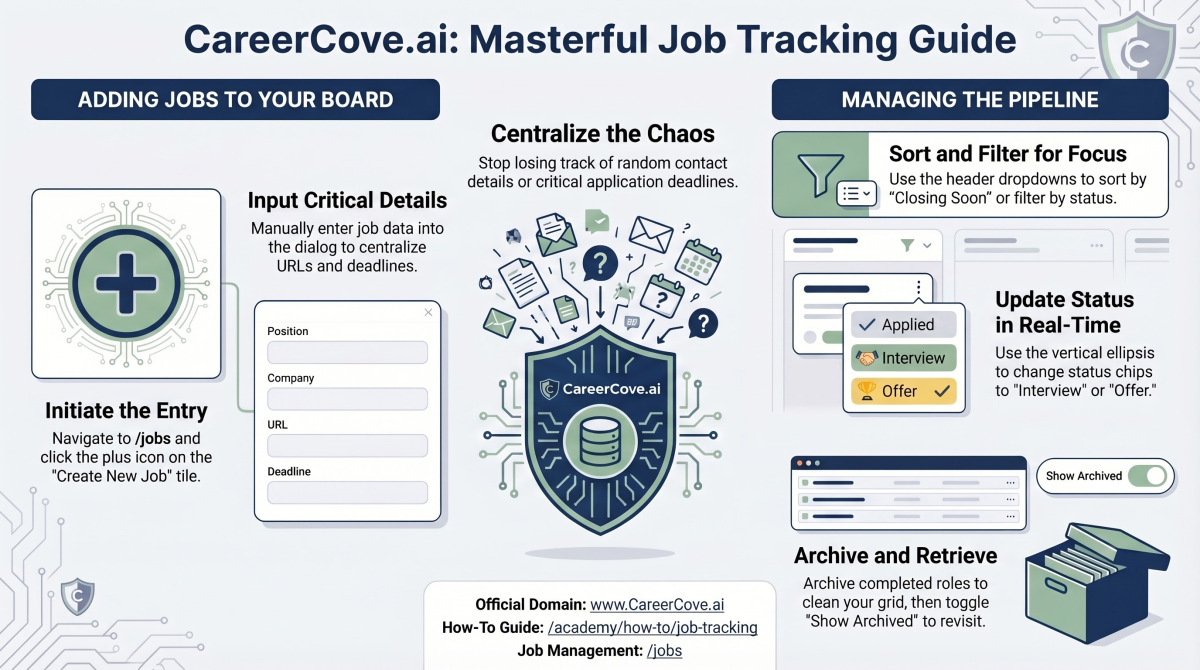
Transform your job hunt from a chaotic list of bookmarks into a visually organized digital kanban board. Keep track of application stages, deadlines, and active pipelines.
Why This Matters
Summary Flow
Step-by-Step Walkthrough Guide
Follow these step-by-step instructions to master the Job Tracking workflow on the CareerCove platform.
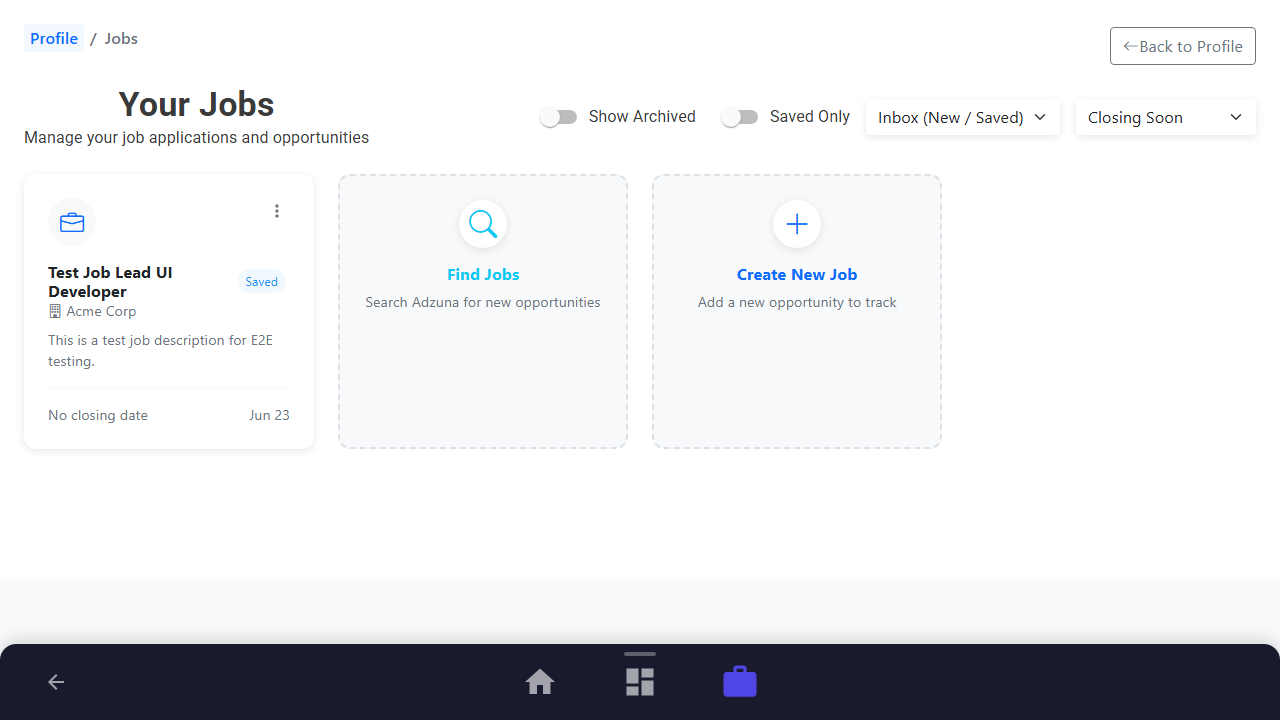
Step 1: Access the Job Board
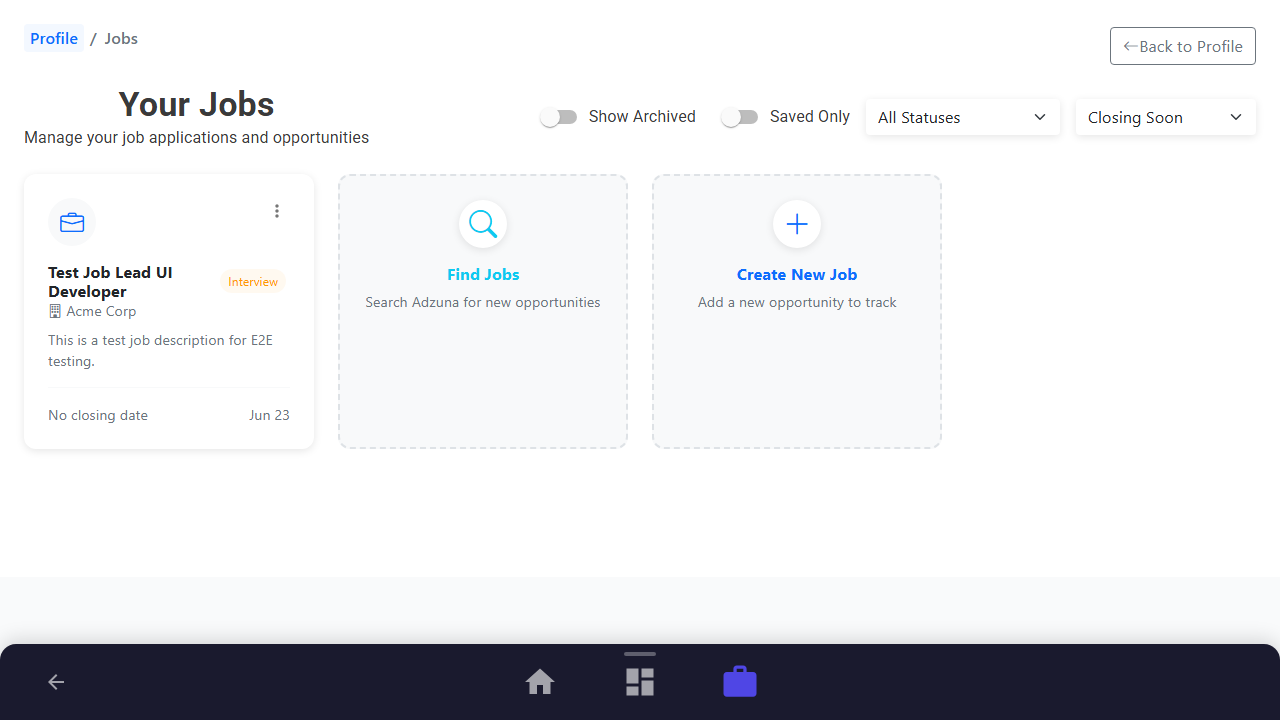
Navigate to the main job management board. This centralized interface allows you to view all your active opportunities, filters, and tracking options.
Purpose: Open the job tracking board.
Benefit: Centralizes all active opportunities in one visual board.
Outcome: The Job Board page loads, showing any tracked opportunities and quick action tiles.
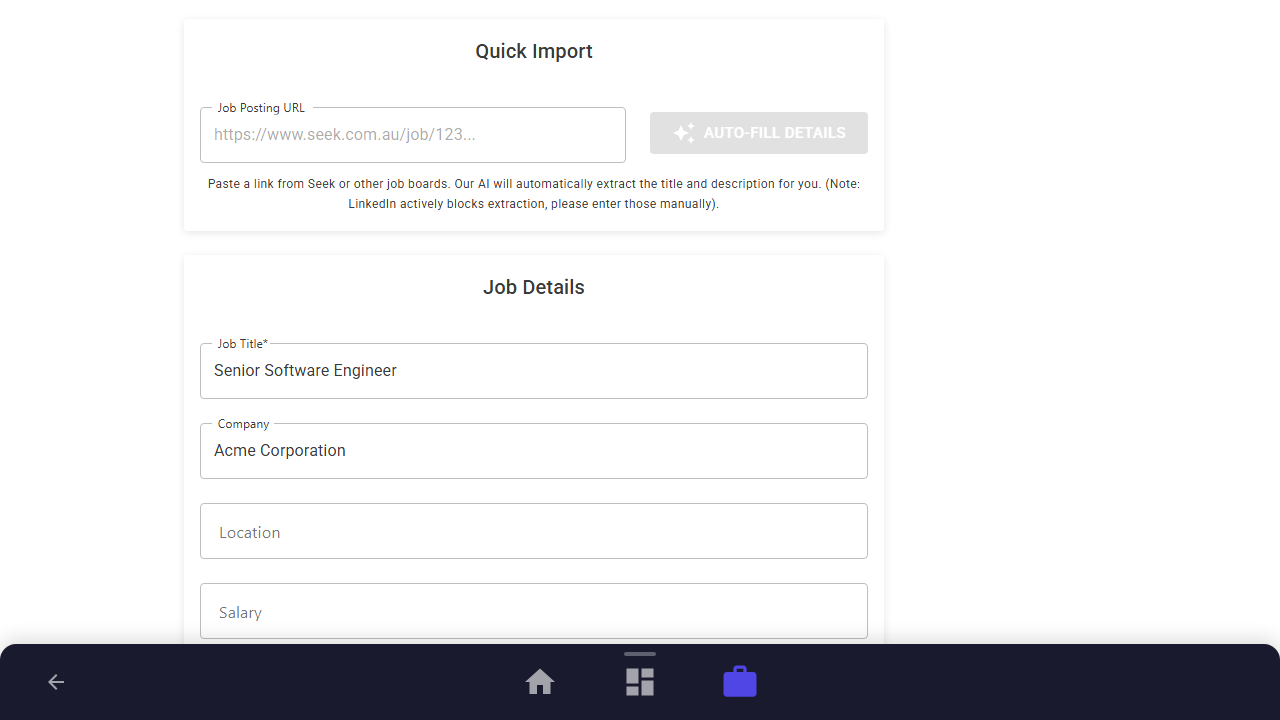
Step 2: Log a New Opportunity
Click the "Create New Job" card. Paste your job URL or enter the details manually (Job Title, Company name, and Description) to start tracking.
Purpose: Log a new target job to track.
Benefit: Prevents losing posting URLs and keeps deadlines organized.
Outcome: The Create Job form opens, where details are input.
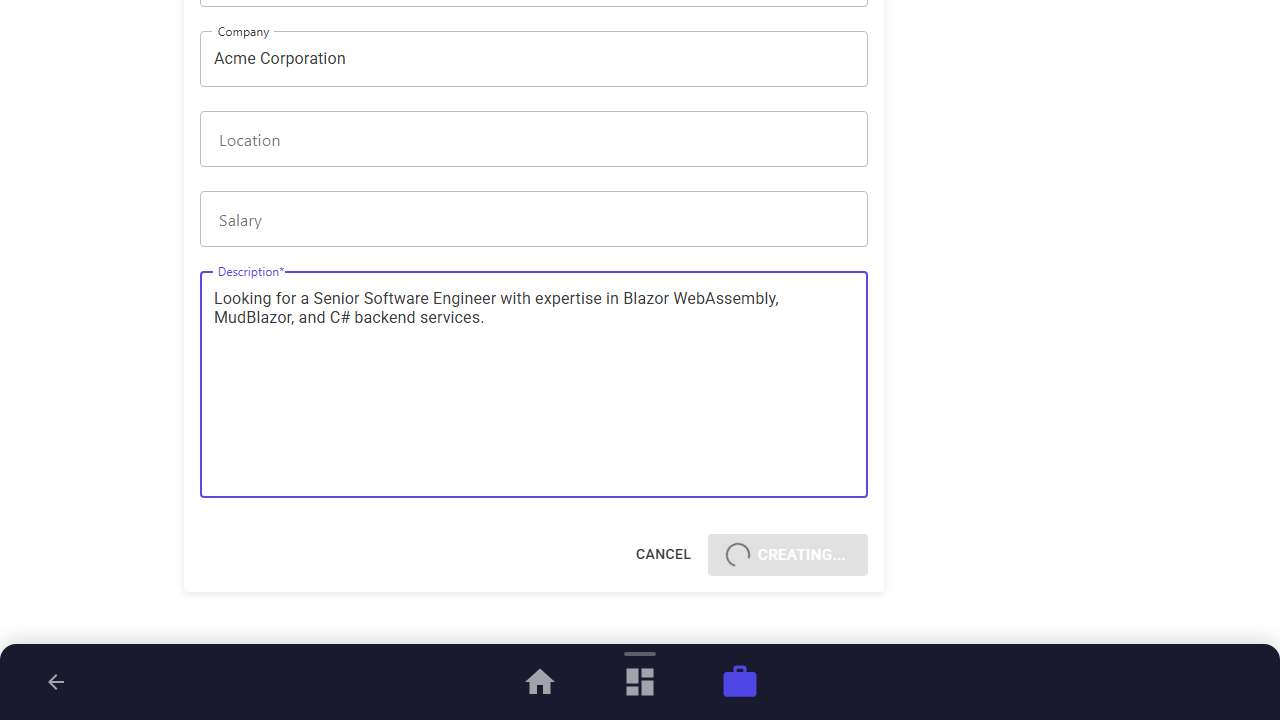
Step 3: View the Dashboard & Personal Sticky Notes
Submit the form to register the opportunity. The platform automatically creates a dedicated workspace dashboard specifically for this job, complete with interactive sticky notes to jot down contacts, impressions, and salary bands with seamless auto-save.
Purpose: Open the individual dashboard and annotate key application details.
Benefit: Keeps critical notes and next steps right alongside Fit Analysis and generated documents.
Outcome: The Job Dashboard is displayed showing options for Fit Analysis, Cover Letter, Interview Prep, and your personal sticky note.
Step 4: Update Hiring Progress
Navigate back to the Job Board and open the context menu on your new job tile. Select a status like "Interview" to attach a color-coded status chip.
Purpose: Update the application status of a tracked job.
Benefit: Visually highlights where each job stands in your active pipeline.
Outcome: Status chips are updated on the job board.
Step 5: Archive Opportunities
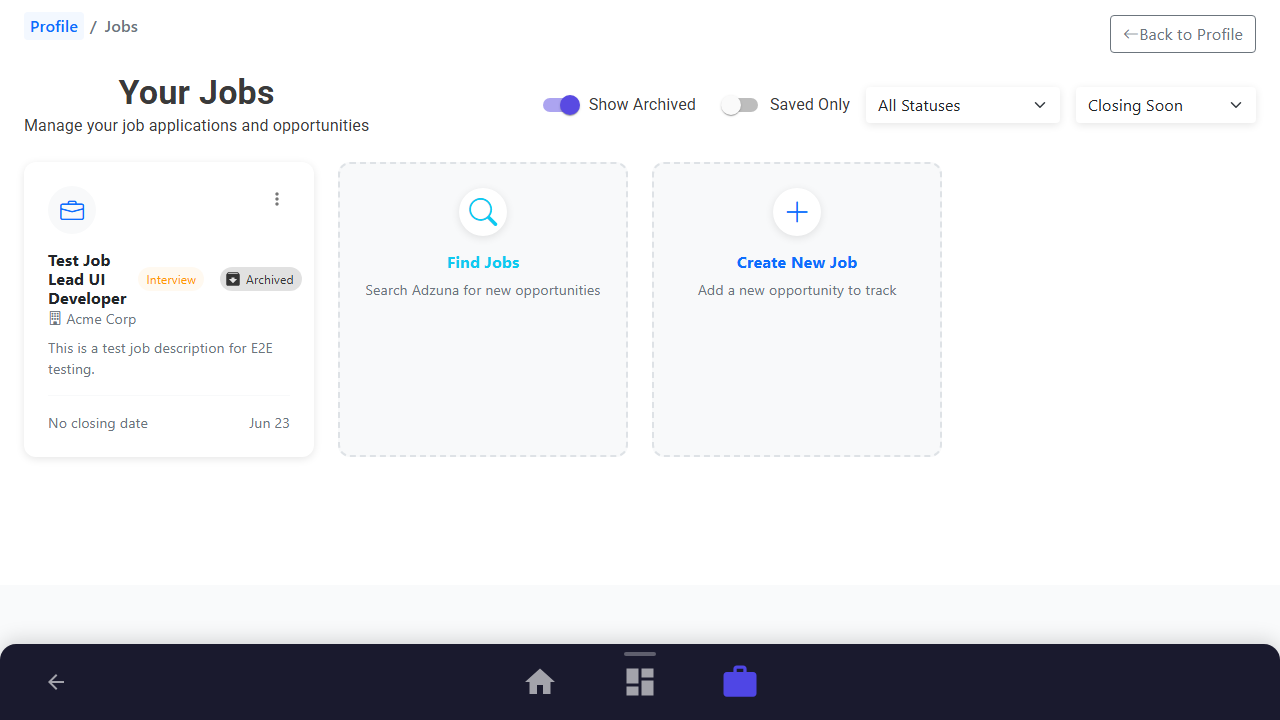
Clean up your active board by archiving old or rejected opportunities. Toggling "Show Archived" lets you view or restore them at any time.
Purpose: Archive inactive or rejected opportunities to clean up the active grid.
Benefit: Retains application history without cluttering your daily view.
Outcome: The job tile is hidden from the active board and visible only when Show Archived is toggled.
See It In Action
Maximising Your Journey
Organizing your applications on a visual Kanban pipeline board helps you manage interview schedules, follow-up timelines, and keep your job search organized.
Ready to apply this guide to your own career?
Register an account or sign in to save your progress, build and optimize your resume, and access advanced AI career tools.
Recommended Pathway Steps