Using AI Assist for Text Refinement & Dictation
Refine text and dictate sections.
Overview & Core Benefits
Dictate new ideas and surgically highlight specific sentences for instant AI refinement without altering the rest of your copy.
Step-by-Step Walkthrough Guide
Follow these step-by-step instructions to master the Using AI Assist for Text Refinement & Dictation workflow on the CareerCove platform.
Step 1: Open the AI Assistant
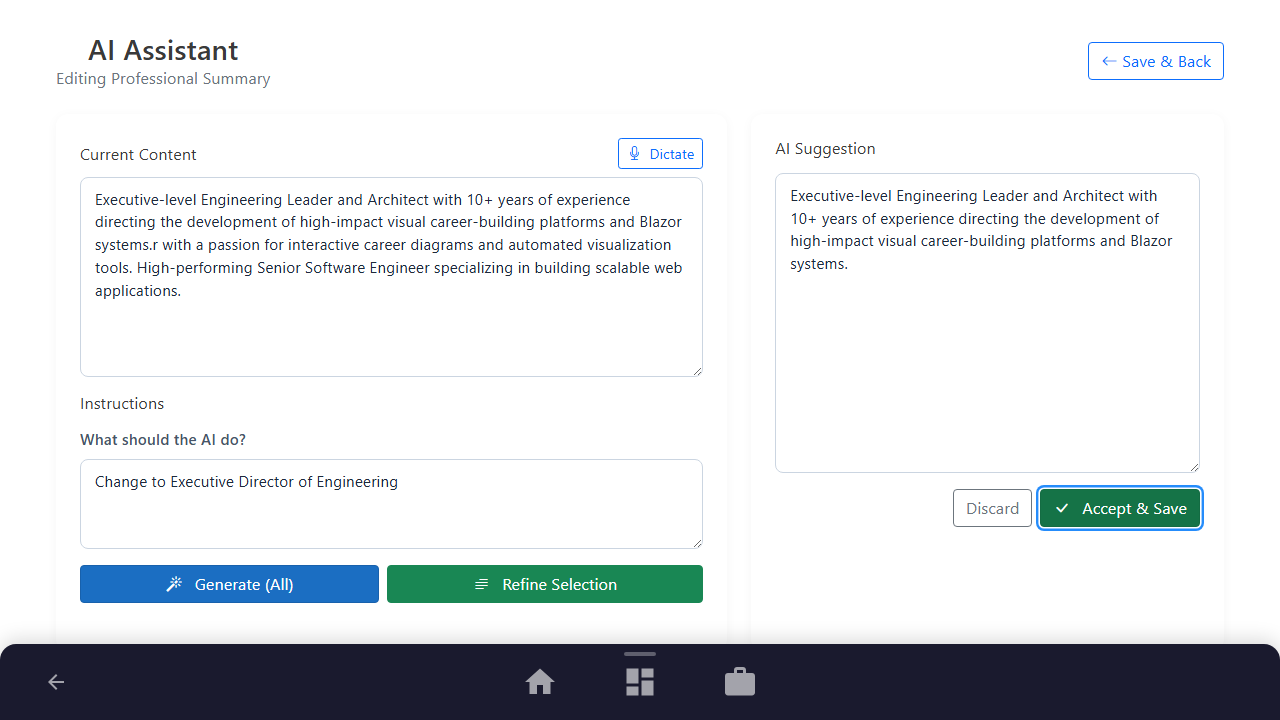
Navigate to any text editor section on your resume and launch the AI Assistant page. The Current Content panel displays your existing draft.
Purpose: To initialize the audio-enabled text editor.
Benefit: Allows hands-free content entry for any multi-line resume description fields.
Outcome: The AI Refinement page loads with the audio dictation controls visible in the left panel.
Step 2: Start Dictation and Input Text
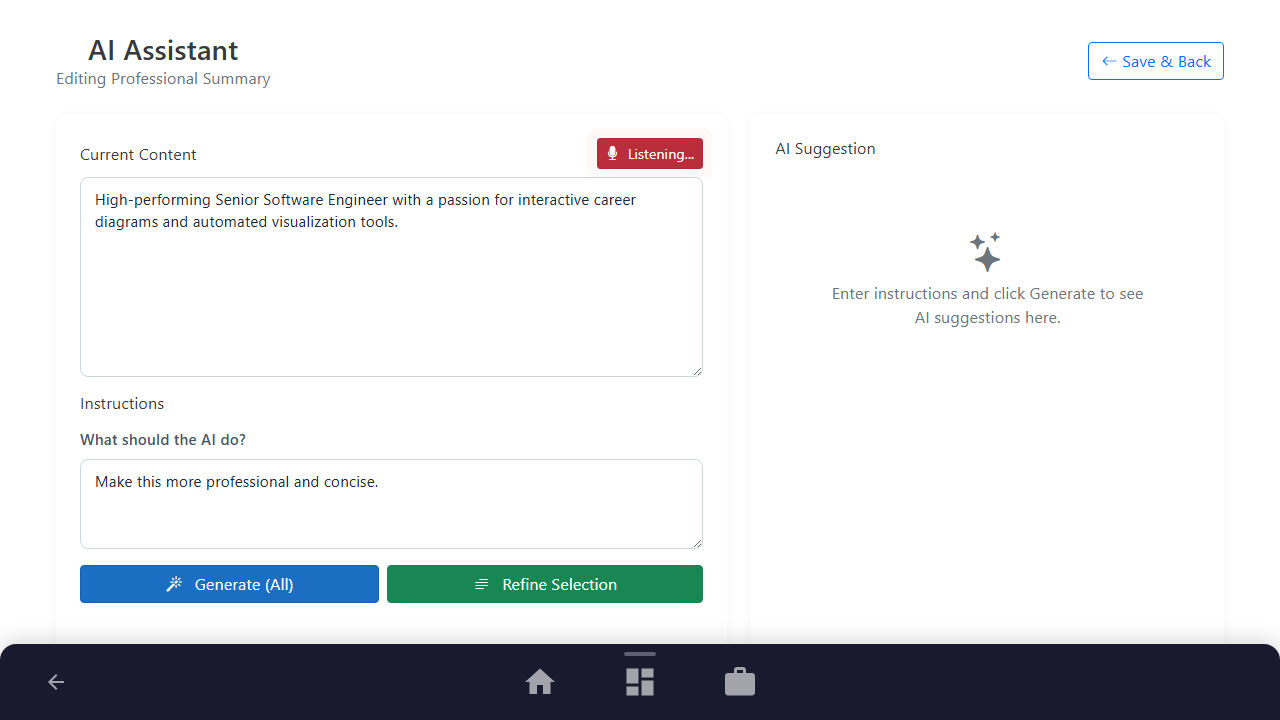
Click the "Dictate" button with the microphone icon to activate the speech engine and dictate your raw content.
Purpose: To initialize your microphone stream and start speech recognition.
Benefit: Eliminates physical typing, allowing you to draft descriptions naturally by speaking.
Outcome: The speech engine is deactivated and the final transcribed block remains in the text area.
Step 3: Select Text to Refine
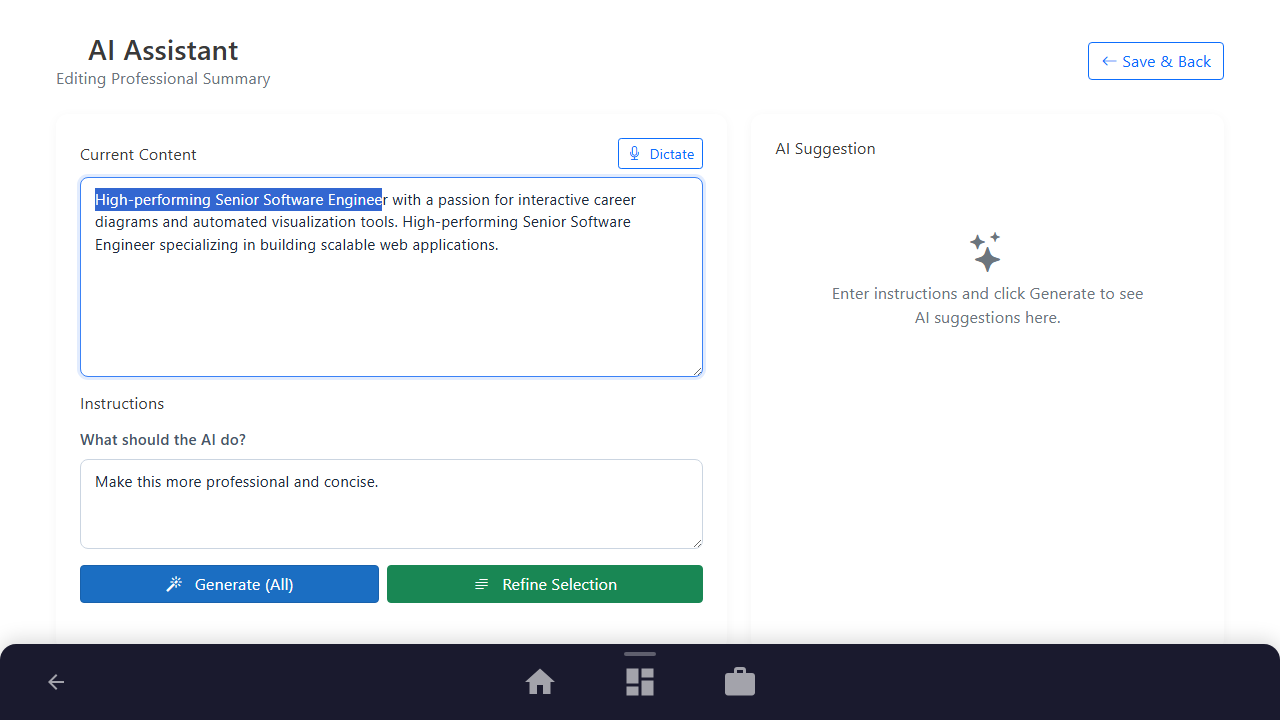
Highlight the specific sentence or phrase inside the editor that needs refinement.
Purpose: To isolate a specific sub-sentence for AI rewrite without altering the rest of your copy.
Benefit: Gives you surgical precision, protecting your original copy from being completely overwritten.
Outcome: The targeted sentence is highlighted in the text area.
Step 4: Refine the Selection
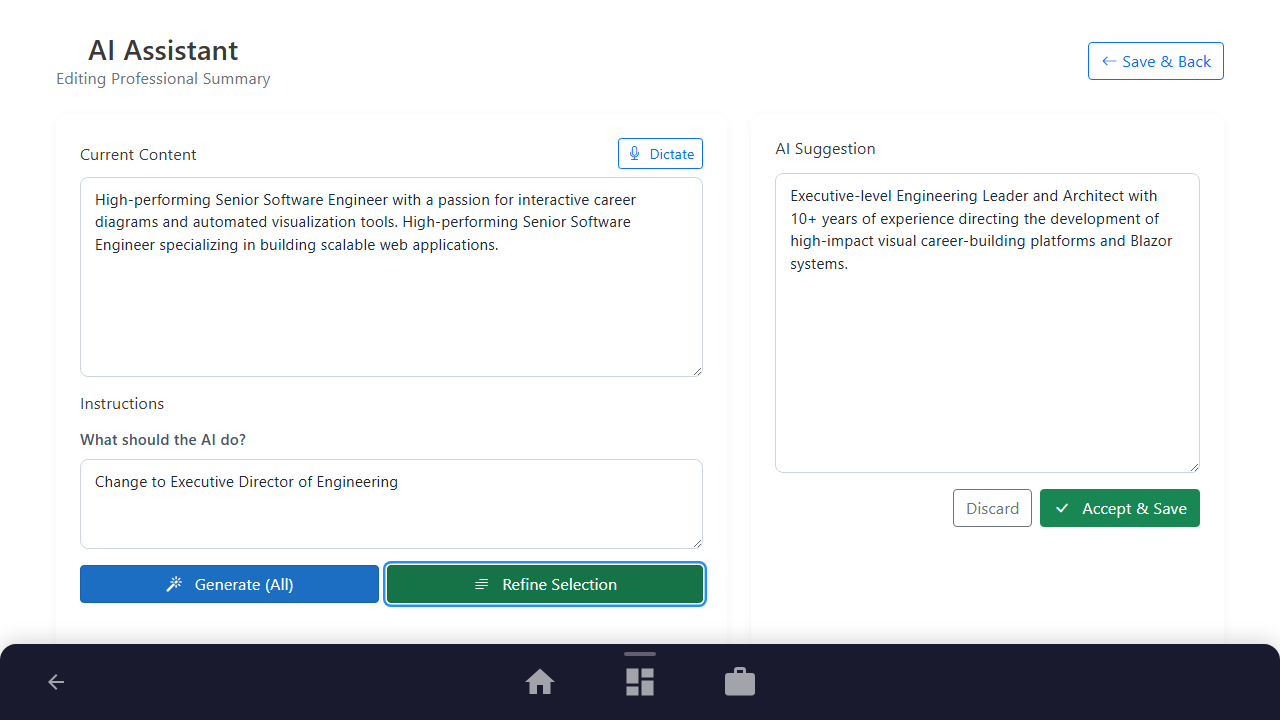
Enter your instruction in the instruction textarea and click the "Refine Selection" button.
Purpose: To submit the isolated text and rewrite instructions to the AI service.
Benefit: Refines only your selection, leaving all surrounding sentences completely untouched.
Outcome: The AI Suggestion panel displays the refined suggestion corresponding to your selected text.
Step 5: Save the Refined Content
Click "Accept & Save" to merge the refined text back into the original description.
Purpose: To merge the AI recommendation into your text and save the updated resume.
Benefit: Integrates AI revisions seamlessly back into your surrounding content.
Outcome: The refined selection is merged and you are returned to the resume dashboard.
See It In Action
Maximising Your Journey
Combining voice dictation with targeted AI rewriting lets you quickly dictate drafts and then surgically polish them to professional standards.
Ready to apply this guide to your own career?
Register an account or sign in to save your progress, build and optimize your resume, and access advanced AI career tools.
Recommended Pathway Steps