Resume Scoring Analysis & Refinement
Improve your resume with AI metrics.
Overview & Core Benefits
Use role-by-role AI suggestions and metric-focused prompts to turn standard job duties into high-impact accomplishments.
Step-by-Step Walkthrough Guide
Follow these step-by-step instructions to master the Resume Scoring Analysis & Refinement workflow on the CareerCove platform.
Step 1: Open the Standout Resume Optimizer
Navigate to the Standout Resume Optimizer from the Resume Dashboard by clicking the 'Optimize' button.
Purpose: To launch the role-by-role AI scoring and suggestion engine.
Benefit: Visualizes your overall resume quality in real-time, showing dials for Core Strength and Generic Score.
Outcome: The Standout Optimizer page loads, detailing your candidate profile and individual work tenures.
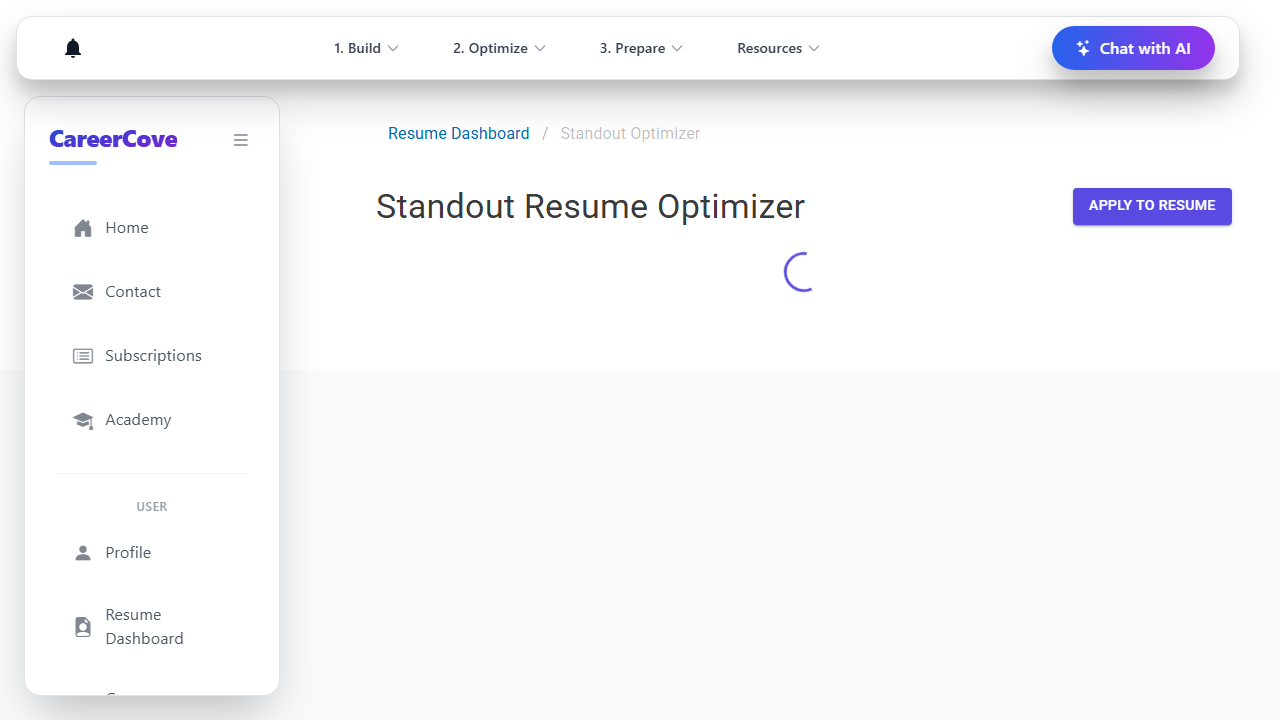
Step 2: Select a Role for AI Optimization
Locate the role you want to improve (e.g., Lead UI Developer) and click the 'Optimize Role' button to initiate a deep scan.
Purpose: To scan the role's current achievements and prompt for metric refinements.
Benefit: Focuses AI suggestions on a specific job context rather than trying to summarize your entire career at once.
Outcome: The optimizer generates role-specific context prompts asking for numbers and metrics.
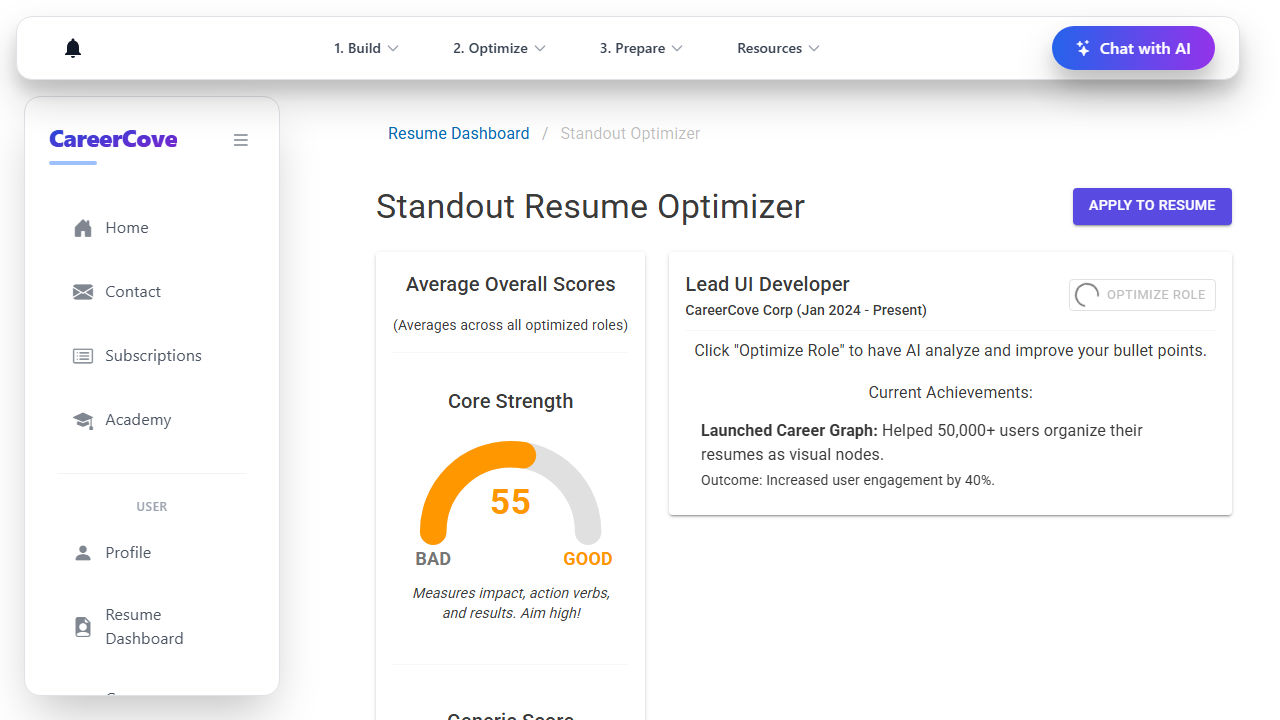
Step 3: Answer AI Context Prompts with Metrics
Review the optimization questions posed by the AI and type in precise numbers, percentages, or budgets. Click 'Submit'.
Purpose: To feed the AI generator with hard evidence and measurable outcomes from your role.
Benefit: Turn standard duties (like 'wrote tests') into standout accomplishments (like 'authored 30+ tests decreasing failure rate by 20%').
Outcome: The AI accepts your answers and outputs optimized bullet recommendations.
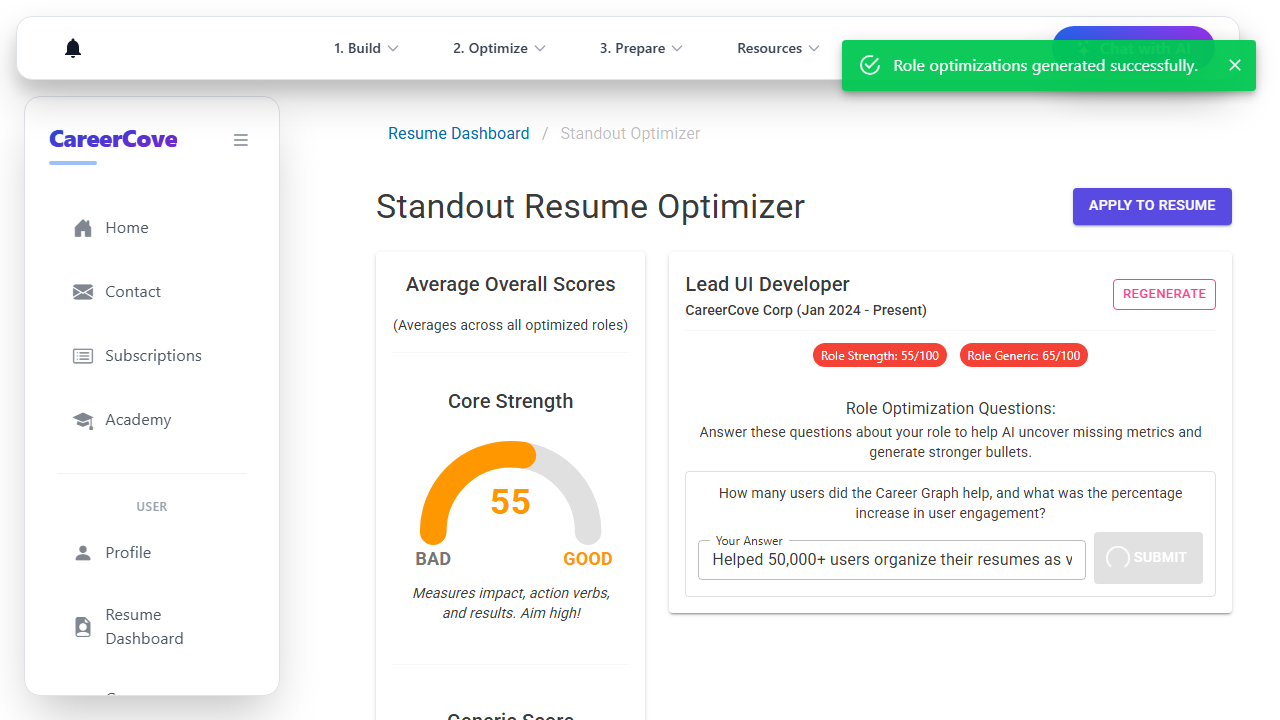
Step 4: Review and Accept AI Recommendations
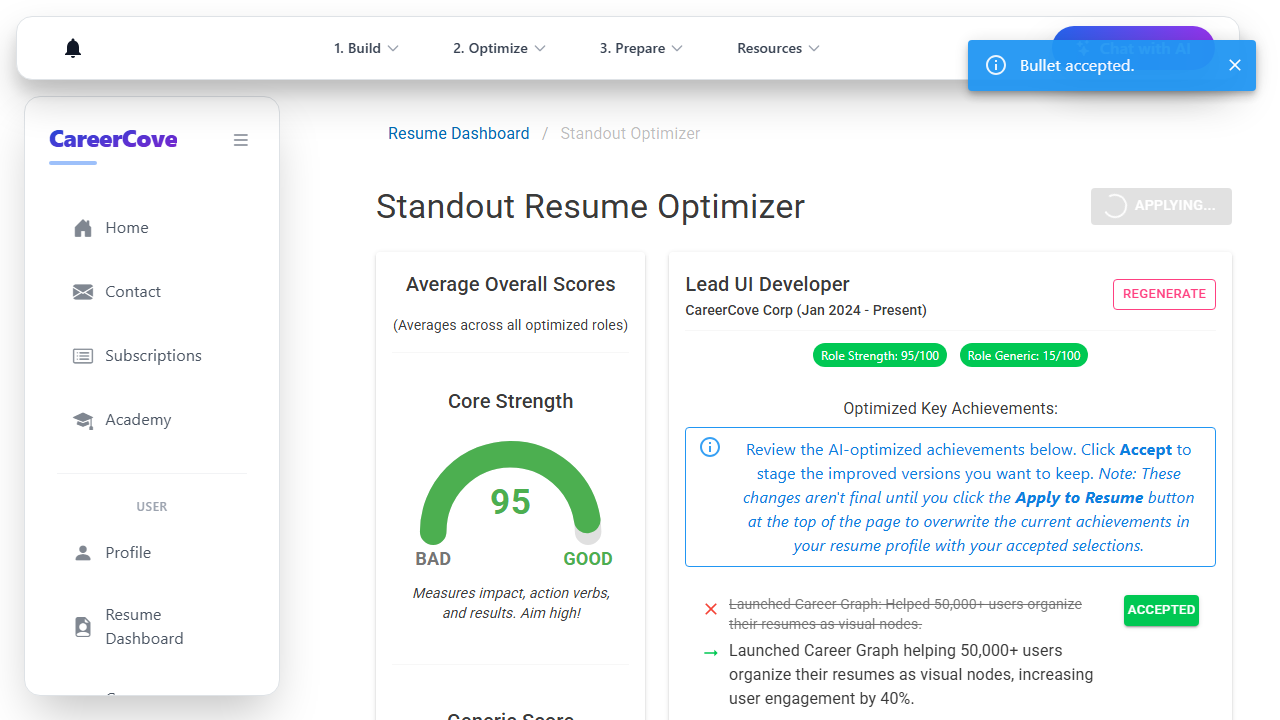
Compare your original achievements with the green AI-enhanced suggestions. Click 'Accept' on the bullets you want to stage.
Purpose: To choose the strongest, metric-heavy achievements to stage for import.
Benefit: Seamlessly stages optimized achievements while allowing you to edit or discard weaker suggestions.
Outcome: Staged bullet points are marked as accepted on the page.
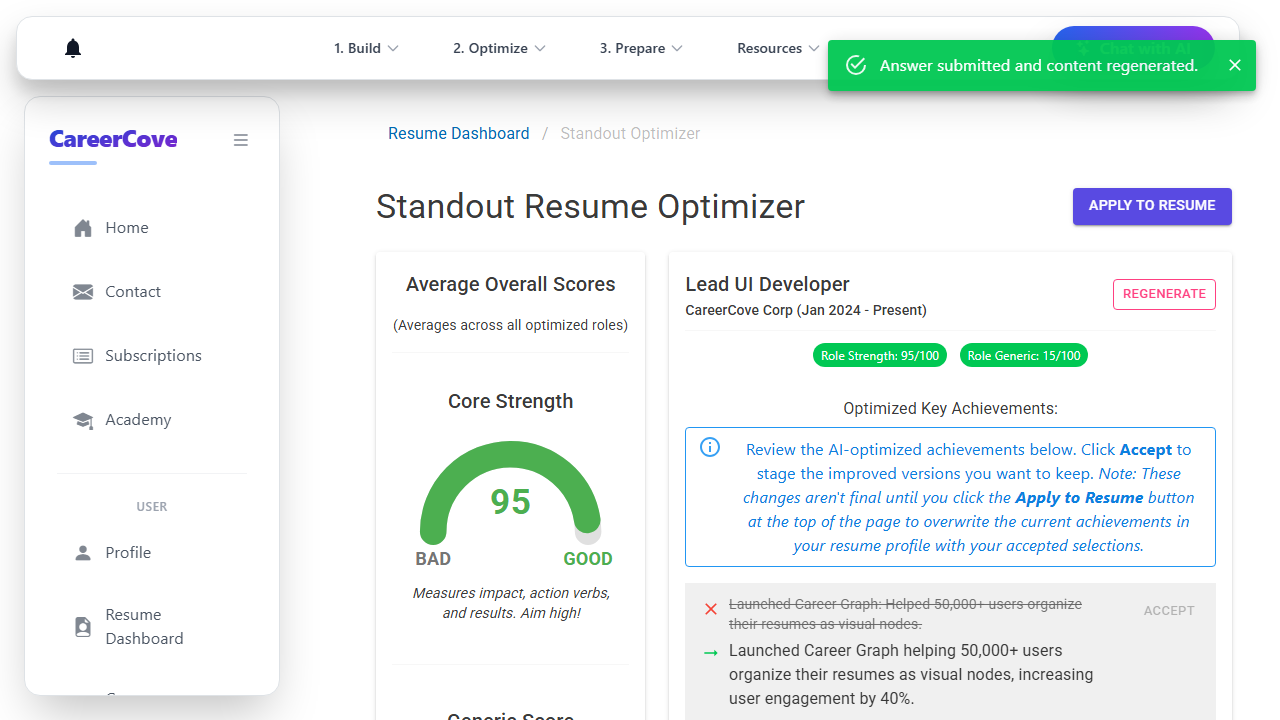
Step 5: Save and Apply to Resume Profile
Click the 'Apply to Resume' button at the top of the optimizer page to permanently overwrite your profile with the new bullets.
Purpose: To commit your staged modifications back into your central CareerCove resume database.
Benefit: Updates your resume instantly so that subsequent exports, applications, and scans utilize the optimized text.
Outcome: A success notification is displayed and the changes are committed.
See It In Action
Maximising Your Journey
Surgically refining individual role bullet points using scoring feedback directly increases your ATS compatibility and score for specific roles.
Ready to apply this guide to your own career?
Register an account or sign in to save your progress, build and optimize your resume, and access advanced AI career tools.
Recommended Pathway Steps